”Memory Stick Voice Editor“ Software Operations
73
GB
Starting the software
Starting/Exiting the Software
1 Turn on your computer and start Windows.
2 Connect the IC recorder to your computer or remove the
“Memory Stick“ from your IC recorder and insert it to your
computer (pages 70 and 71).
3 Click [Start], and select [Programs], [Sony Memory Stick Voice
Editor 2.0] and then [Memory Stick Voice Editor].
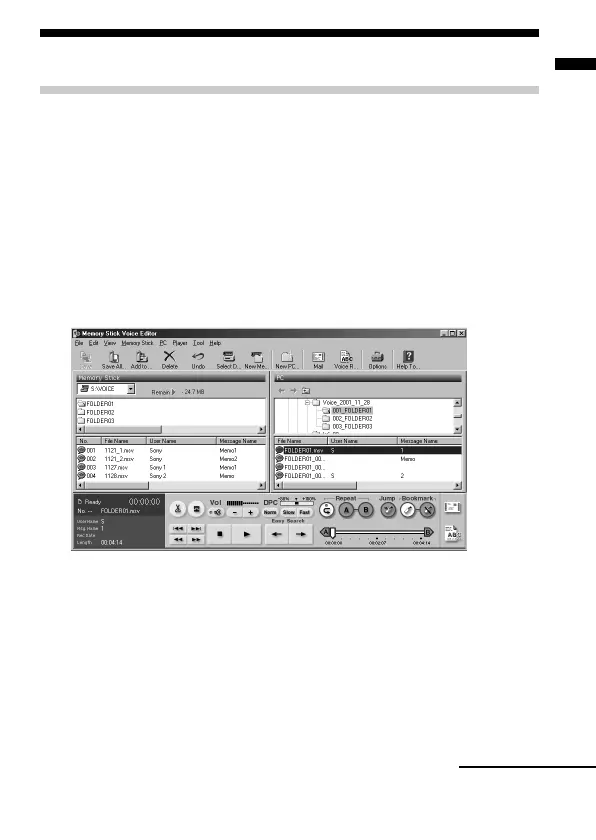
The “Memory Stick Voice Editor“ starts up. The splash window
appears, and after loading the message list file the following main
window is displayed.
Note
If the setting of the display of Windows is set to “Large Font“, the main
window appears different from the above one. It is recommended to set
“Small Font“ in the setting of the display. To change the setting, refer to
the instruction manual of Microsoft Windows.
Continued



 To Next Page