48
GB
BOther Functions
Playing Back a Message at a Desired
Time with an Alarm
You can sound an alarm and start playback of a selected message at a desired
time.
You can use this function to remind you of the date and time of a meeting,
etc. You can have the message played back at a specified date, once every
week, or the same time everyday.
You can also sound the alarm without playing back a message.
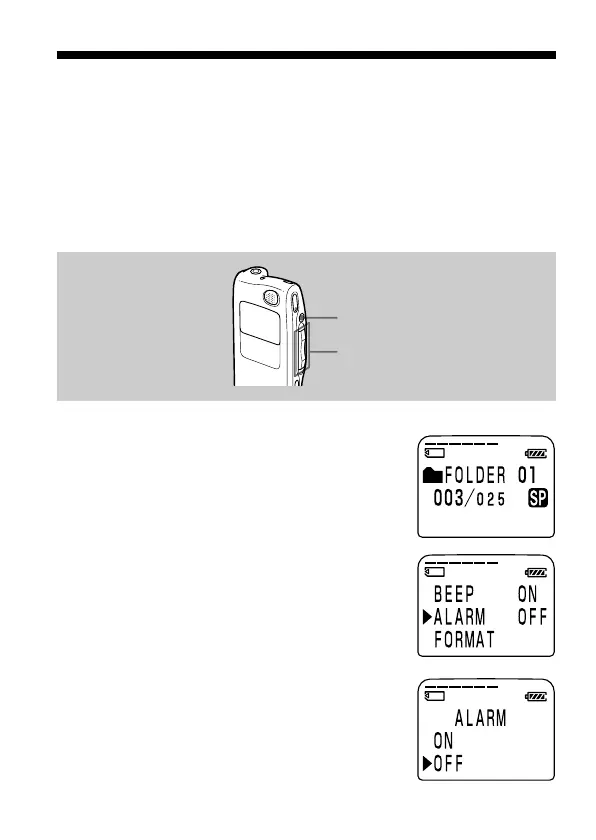
1 Select the message you want to play back.
For more information about selecting the
desired message, see step 1 and 2 of “Playing
Back Messages“ on page 21.
2 Enter the alarm setting mode.
1 Press the jog lever toward MENU.
The menu mode will be displayed in the
display window.
2 Press the jog lever up or down (>/
.) to select “ALARM”.
3 Press the jog lever (x•B).
The alarm setting mode will be
displayed in the display window.
4 Press the jog lever up or down (>/
.) to select “ON”.
If “ON” has already been selected,
follow the next steps.
Jog lever (>/./x•B/
MENU)
xSTOP



 To Next Page