52
GB
Preventing Accidental Operation —
HOLD function
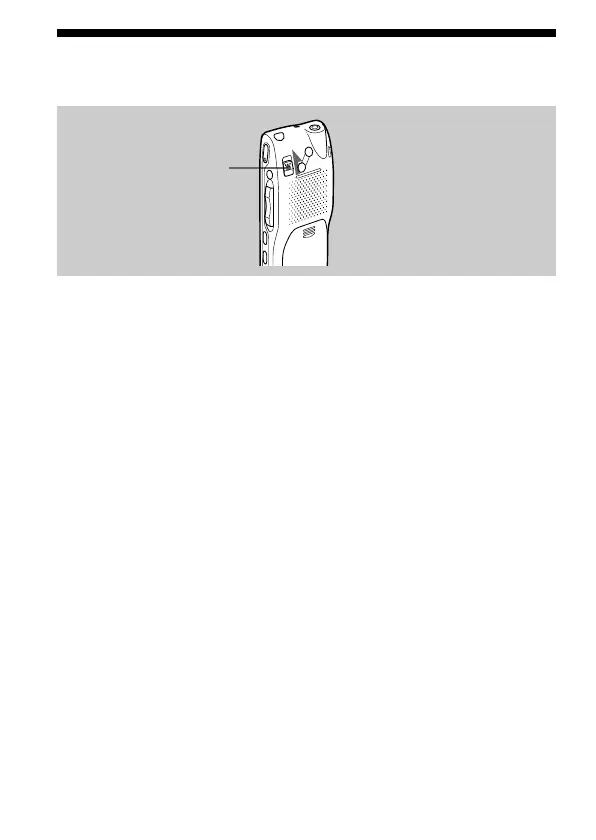
Slide the HOLD switch in the direction of the arrow. “HOLD” will flash
three times, indicating that all the functions of the buttons are locked.
When the HOLD function is activated during stop, all the display will be
turned off after “HOLD” flashes three times.
To cancel the HOLD function, simply slide the HOLD switch in the
opposite direction.
Note
When the HOLD function is activated during recording, cancel the HOLD
function first to stop recording.
1 Tip
Even if the HOLD function is activated, you can stop the alarm playback. To
stop the alarm or playback, press xSTOP. (You cannot stop usual playback.)
HOLD switch



 To Next Page