Other Functions
53
GB
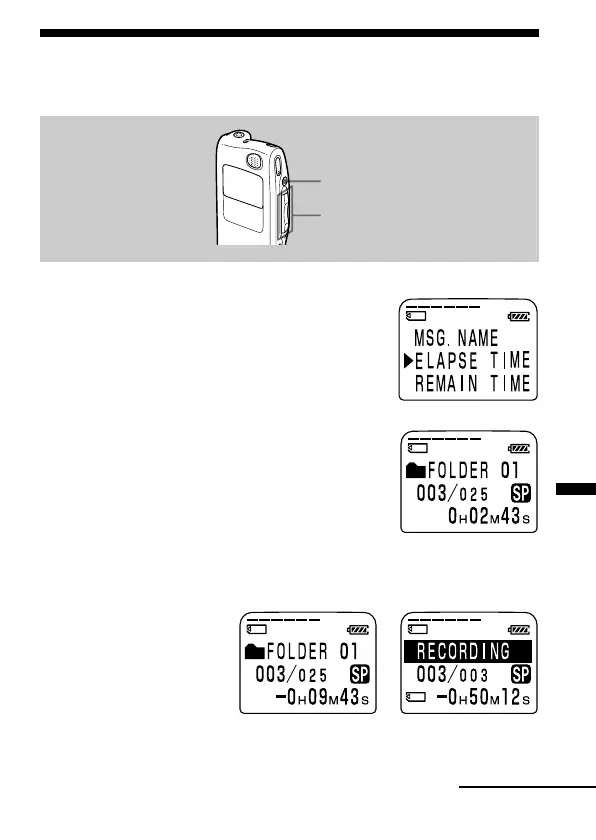
Selecting the Display Mode
You can select the display mode for stop, recording and playback modes.
1 Turn the jog lever toward MENU.
The menu mode will be displayed.
2 Press the jog lever up or down (>/
.) to select “DISPLAY”, and then
press the jog lever (x•B).
The display setting window will be displayed.
3 Press the jog lever up or down (>/
.) to select the display mode.
You can select the display from the
following:
ELAPSE TIME (counter)
Elapsed playback/recording time of one
message.
REMAIN TIME (remaining time)
In the playback mode: The remaining time indication of the message.
In the stop and recording mode: The remaining recording time
indication.
Jog lever (>/./x•B/
MENU)
xSTOP
During playback During recording
or stop
Continued



 To Next Page