23
GB
Listening to the radio
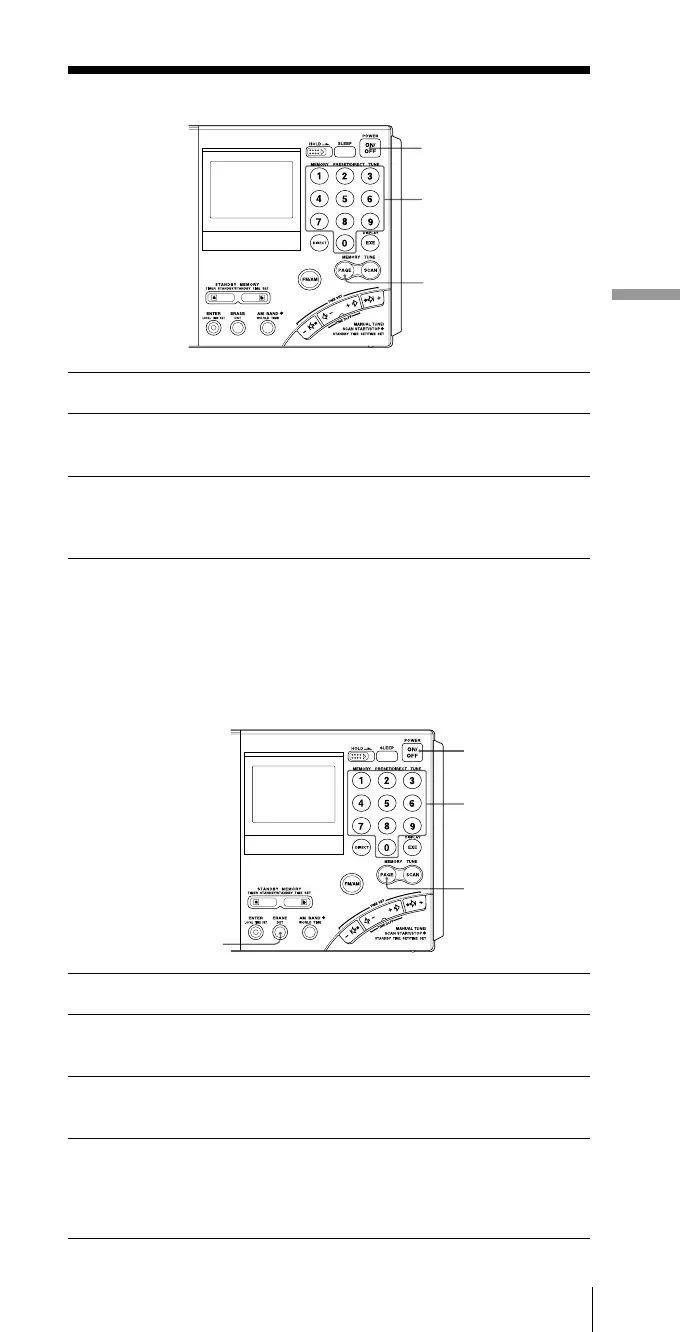
Tuning in to a preset station
1 Press POWER ON/OFF to turn on the radio.
2 Press PAGE and press the page number (0 to 9) where
the desired preset station is stored.
3 Press the number button (0 to 9) of the desired preset
station.
The radio will tune in to the station assigned to the button.
If no station is preset
Two short beeps are sounded when the button is pressed (0 to 9)
and after “- - - -“ is displayed momentarily, the unit will return to
the previous display.
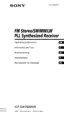
Erasing a preset station
1 Press POWER ON/OFF to turn on the radio.
2 Press PAGE and press the page number (0 to 9) where
the desired station to erase is stored.
3 Press the number button (0 to 9) of the desired station
to erase.
4 Hold down ERASE.
The preset number flashes while you hold down ERASE.
Two short beeps sound after about 3 seconds and the stored station
is erased. The preset number display will disappear.
Presetting stations — Preset tuning
1
2, 3
2
1
2, 3
2
4


 To Next Page