Power sources8
GB
Operating on batteries
To operate the unit on external power sources, see “Operating on AC
power adaptor” (page 10).
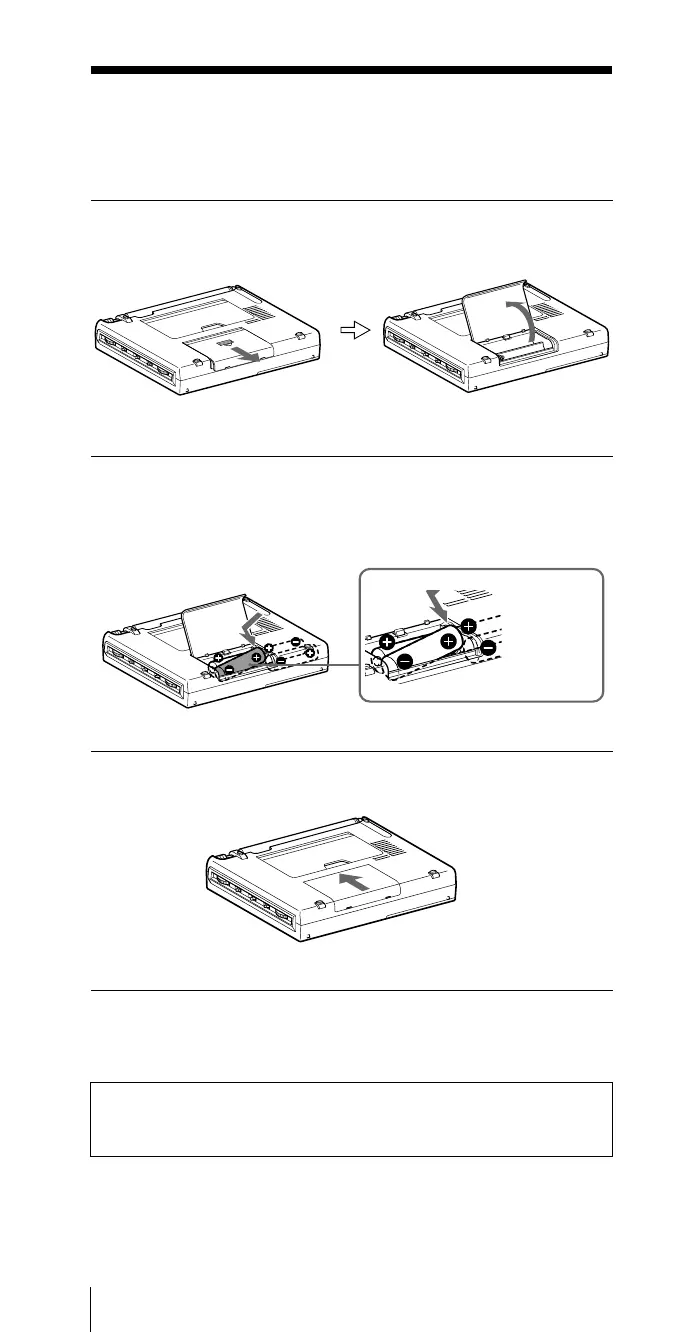
1 Slide and open the battery compartment lid.
B Power sources
2 Insert four R6 (size AA) batteries in the battery
compartment.
Insert with correct polarity as shown.
3 Close the battery compartment lid.
When inserting batteries for the first time, “0:00” will flash in the
display. The flashing can be stopped by setting the time.
Note
It takes about 3 seconds for characters to appear in the display after
inserting batteries.
Insert the
# side of
the battery
first.


 To Next Page