When playing games on your computer, this issue can be improved by closing unnecessary applications or windows,
or restarting your computer.
Connect the headset to the USB transceiver again.
Reset the headset.
Initialize the headset.
While connected to a Bluetooth device
This issue can be improved by changing the wireless playback quality settings on the transmitting device. For details,
refer to the operating instructions supplied with the transmitting device.
Bluetooth communications may be disabled, or noise or audio dropout may occur under the following conditions.
When there is a part of the body acting as an obstacle between the headset and the Bluetooth device
When this is the case, turn the Bluetooth device to face the same direction as the antenna of the headset to
improve the Bluetooth communications.
When there is an obstacle, such as metal or a wall, between the headset and the Bluetooth device
When using in places with wireless LAN, where a microwave oven is used, electromagnetic waves are
generated, etc.
When there is a distance between the headset and the Bluetooth device
Where there are other wireless communication audio devices or other people nearby, such as in train station
premises or on a crowded train
If you are talking on the phone or using voice chat with your smartphone, this issue can be improved by closing
unnecessary applications or restarting your smartphone.
Connect the headset and the Bluetooth device once again.
Reset the headset.
Initialize the headset. All of the pairing information will be deleted. Pair the headset with the Bluetooth device again.
About the antennas
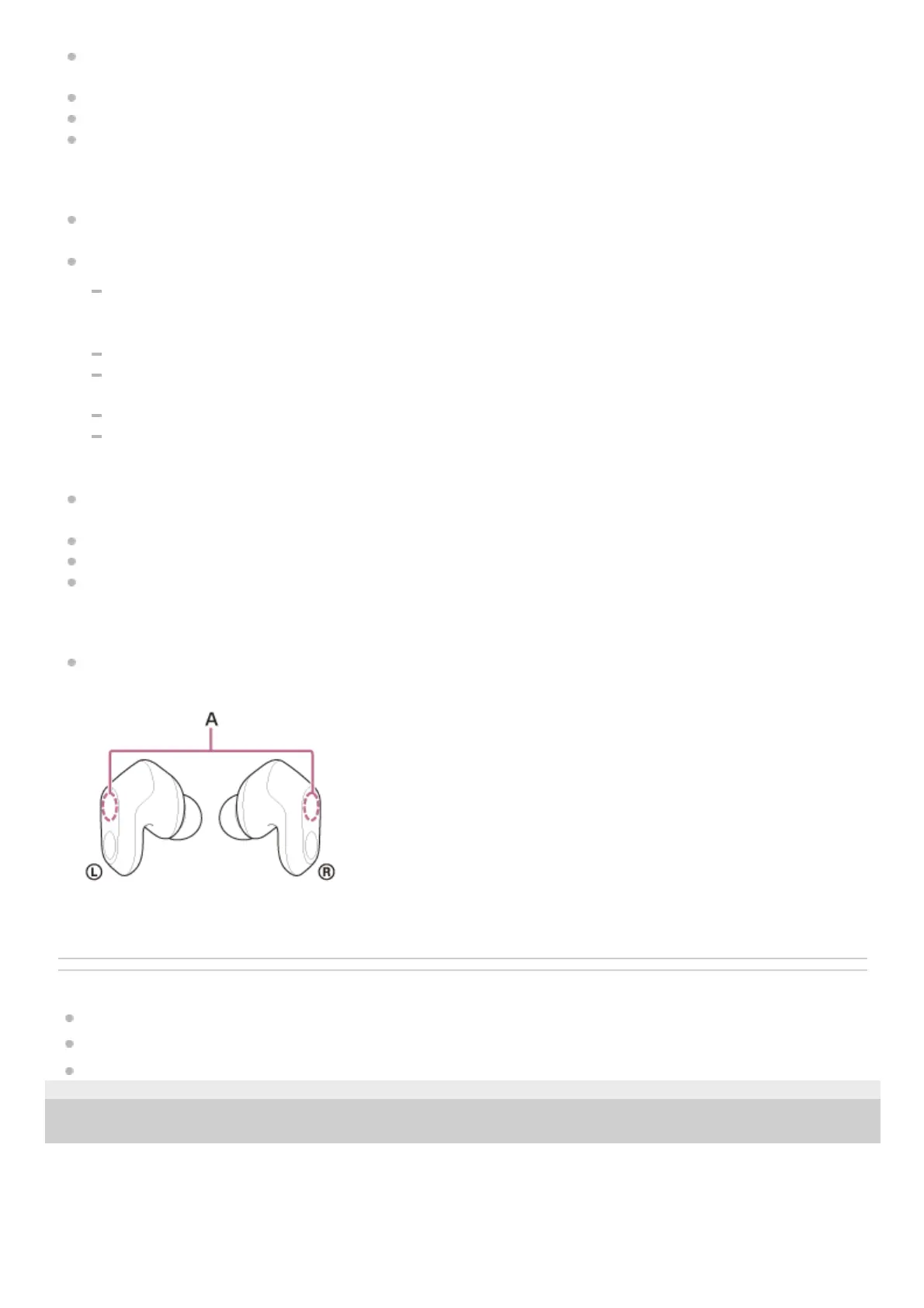
Remove any obstacles between the antenna of the connecting game console and Bluetooth device and the built-in
antenna of the headset. The antenna of the headset is built into the part shown in the dotted line below.
A: Locations of the built-in antennas (left, right)
Related Topic
Video being received via a smartphone’s Wi-Fi is disturbed or cannot be connected.
Resetting the headset
Initializing the headset to restore factory settings
5-052-425-11(1) Copyright 2023 Sony Corporation












 To Next Page