27
English
5-4. Correcting Erroneous Operations
1) When you have pressed the wrong axis selector key:
• To select the correct axis, press the correct axis selector key.
• To clear the axis selection mode, press the cancel key
.
2) When you have pressed the wrong number key:
• Press the cancel key
and axis selector key before entering the correct numerals. If you
have pressed the
S
or
P
key by mistake, press the axis selector key before entering
the correct numerals.
3) When LOAD key
L
SET
or HOLD key
H
START
is pressed by mistake:
Press the Axis selector key of the relevant axis and the Cancel key
, and repeat the entry.
4) To cancel the hold:
Press the Axis selector key of the held axis and the Cancel key
to return to the present
value display.
5-5. Presetting
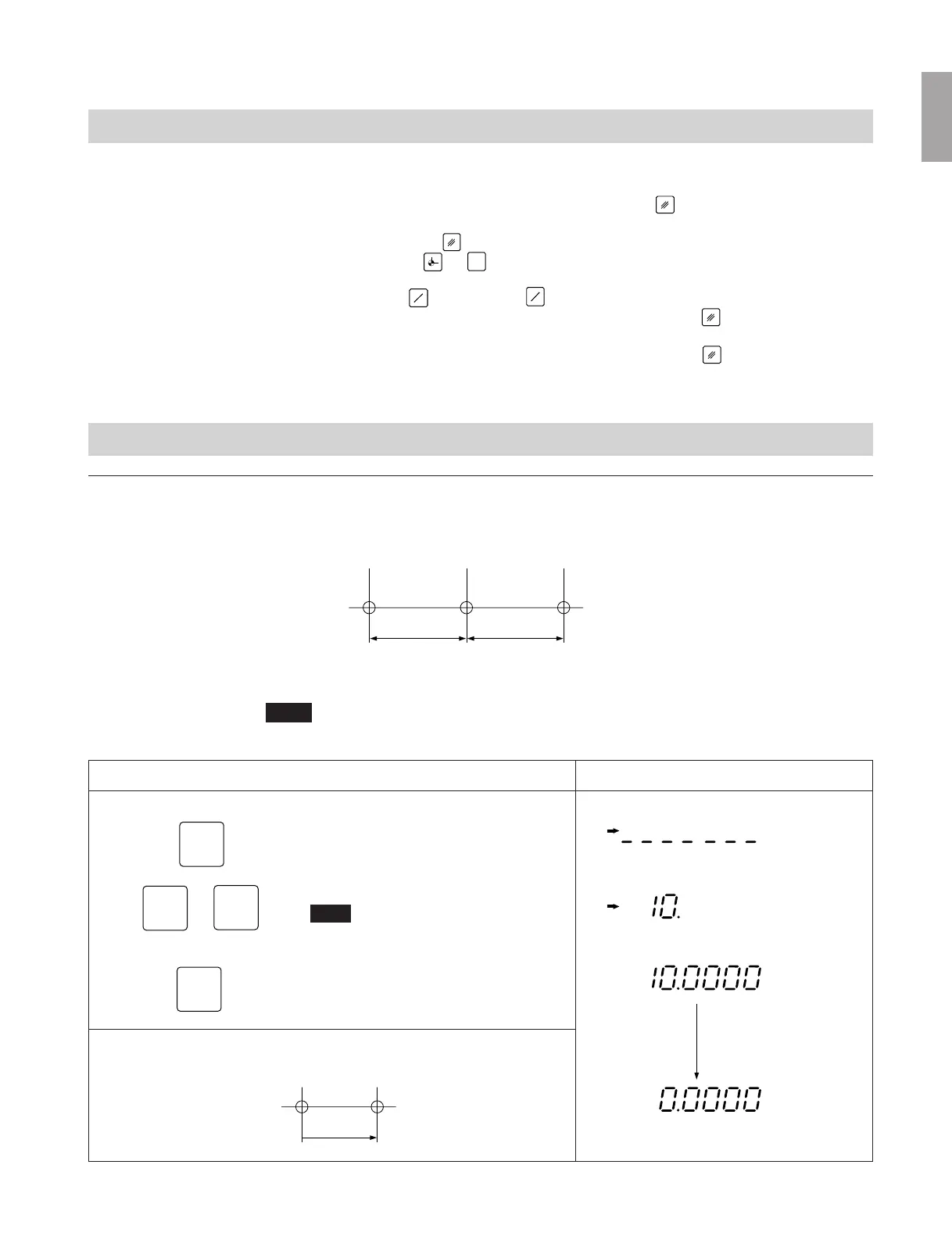
Machining by counting down to zero
Example: Counting down while moving from P0 to P1.
L
1
L
2
P
0
P
1
P
2
L
1
=10.0
L
2
=10.0
Note
In the display example below, the resolution is set to 0.0005 mm.
Operating procedure
Select the X-axis.
Enter the value L
1
.
Note
To count up while moving from P
0
to P
1
, enter
–10.
Preset the input value.
The INC indicator lights.
X
0
1
P
L
1
P
0
P
1
mm
mm
mm
INC
INC
INC
mm
INC
Counting
Display
Positioning to P
1
Move the scale until “0” is displayed to reach P
1



 To Next Page