Related Topic
About the indicator
Checking the remaining battery charge
5-035-792-11(1)
Copyright 2022 Sony Corporation
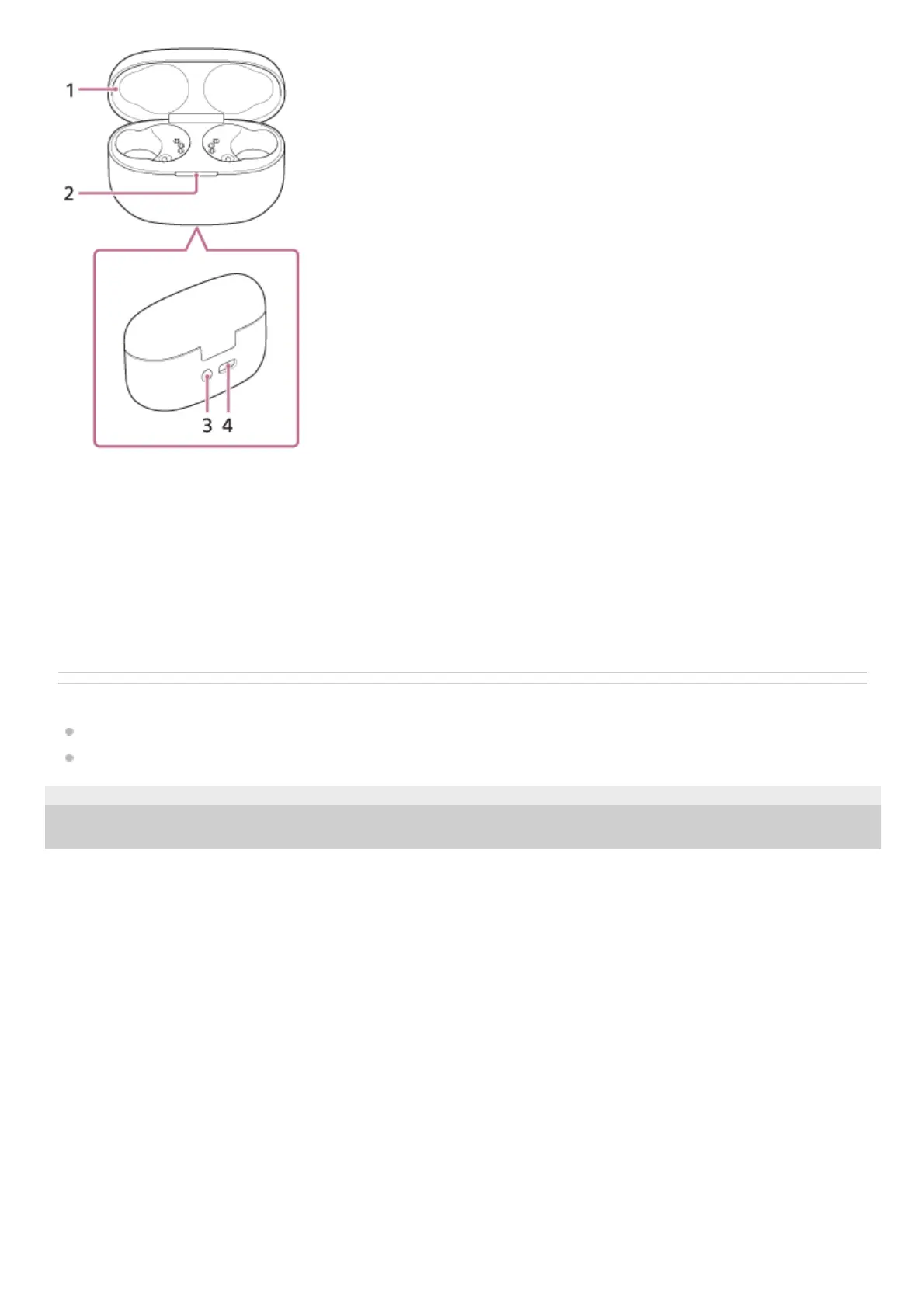
Lid1.
Indicator (green/orange/blue)
Indicates the power, communication or charging status of the headset.
2.
Pairing/initialize/reset button
Used when entering pairing mode, initializing or resetting the headset.
3.
USB Type-C port
Using the supplied USB Type-C cable, connect the charging case to a computer or to an AC outlet via a
commercially available USB AC adaptor to simultaneously charge both the headset and the charging case.
4.



 To Next Page