Help Guide
Wireless Noise Canceling Stereo Headset
LinkBuds S
Initializing the headset to restore factory settings
If the headset does not operate correctly even after resetting, initialize the headset.
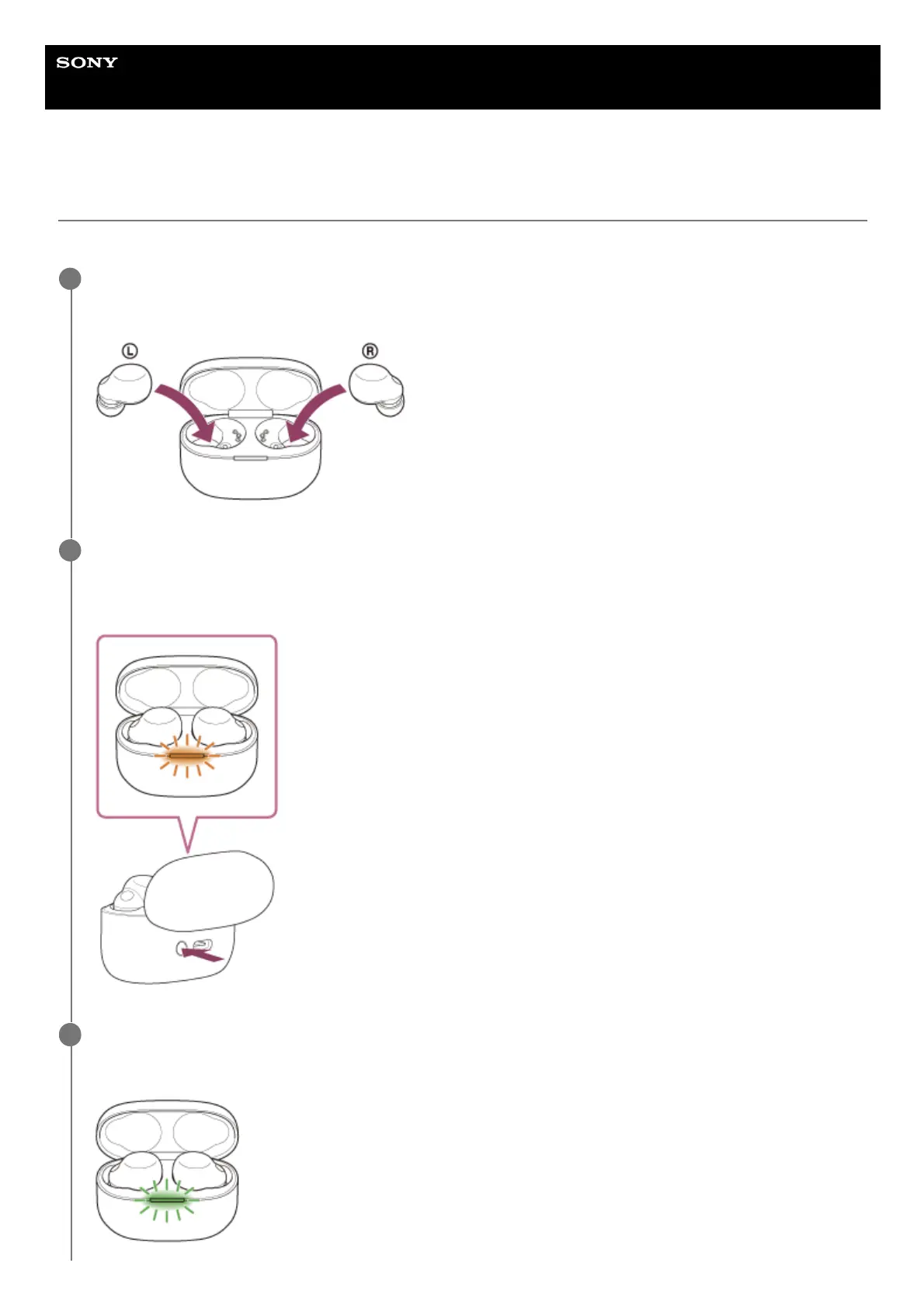
Set the headset into the charging case.
Leave the lid of the charging case open.
1
Press and hold the initialize button of the charging case for about 15 seconds or more.
The indicator (blue) on the charging case repeatedly flashes twice in a row, and then the indicator (orange) starts
flashing.
2
Release your finger within 5 seconds after the indicator (orange) on the charging case starts flashing.
When the initializing is complete, the indicator (green) on the charging case flashes 4 times.
3



 To Next Page