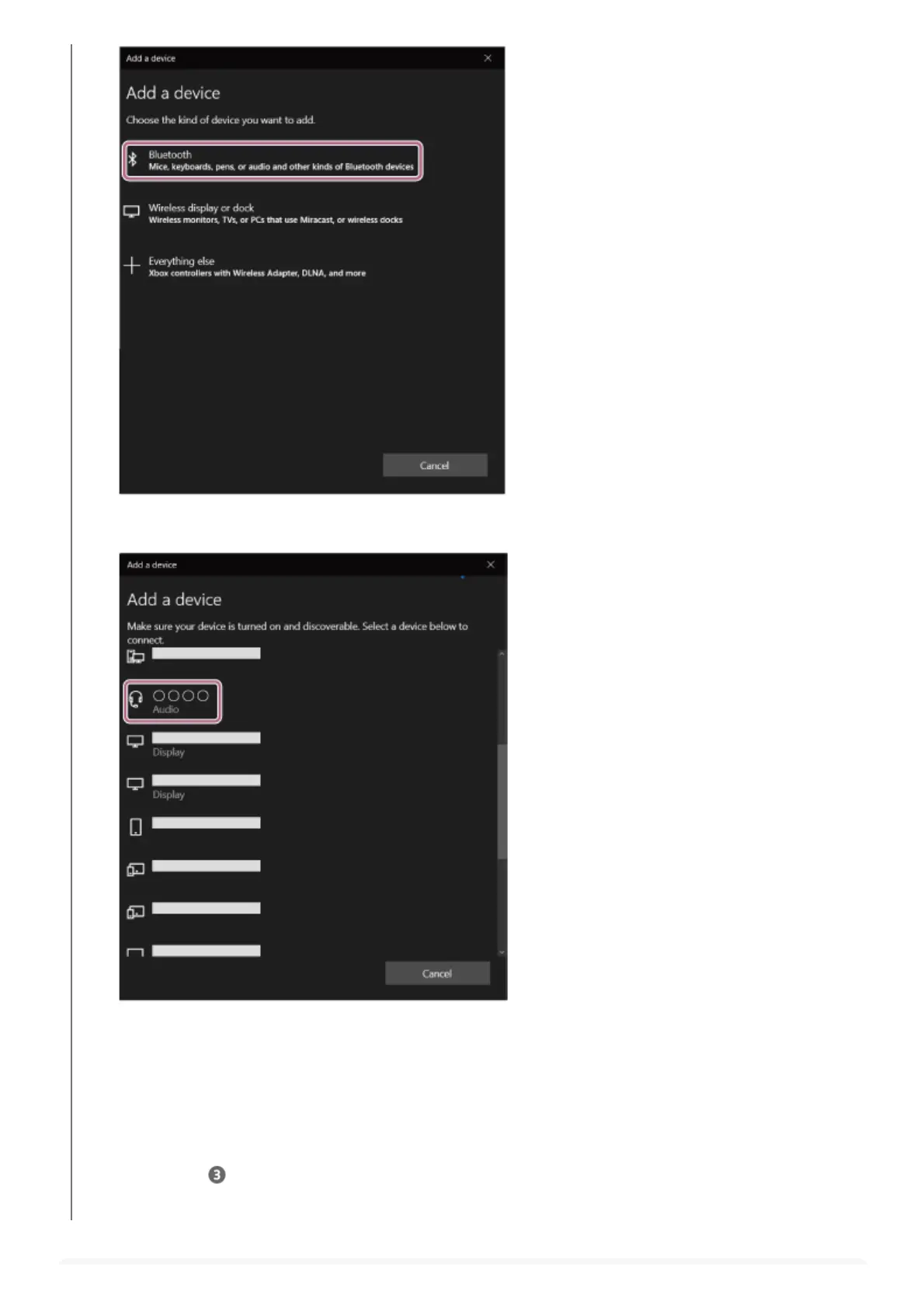
If Passkey (*) input is required, input “0000”.
The headset and computer are paired and connected with each other.
When the headset is placed in the charging case, the indicator (blue) on the charging case flashes slowly for about
5 seconds.
When you are wearing the headset, you will hear a notification sound from both headset units at the same time.
If they are not connected, see “Connecting to a paired computer (Windows 10)”.
If [LinkBuds S] does not appear on the computer screen, try again from “To connect without using the Swift Pair
function” of step
.
Click [LinkBuds S].5.
A Passkey may be called “Passcode”, “PIN code”, “PIN number”, or “Password”.
*



 To Next Page