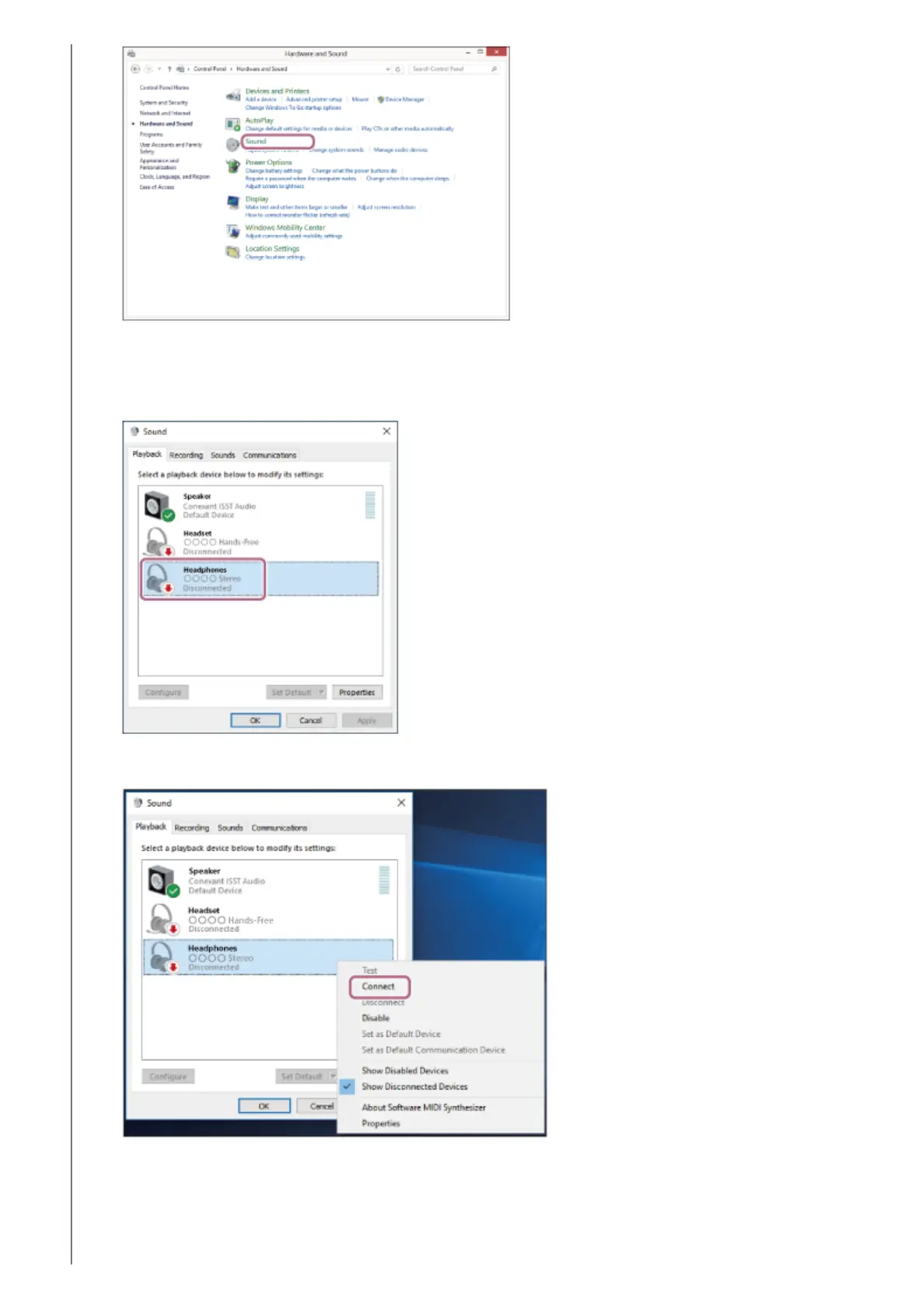
Right-click [LinkBuds S].
If [LinkBuds S] is not displayed on the [Sound] screen, right-click on the [Sound] screen, then check [Show
Disconnected Devices].
4.
Select [Connect] from the displayed menu.
The connection is established. You will hear a notification sound from both headset units (or from the headset
unit you are wearing) at the same time.
5.



 To Next Page