56
English
5-2. Various settings
In the setting modes there is always an indicator flashing.
5-2-1. Setting the preset value
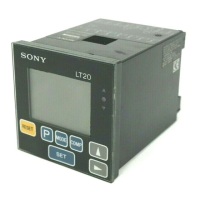
1 Push
P
to select.
The A channel preset value setting mode.
2 Push to select a sign.
Push
to select a digit to be set.
The selected digit flashes.
Push to select a numeral.
3 Push
SET
to set.
P for A channel flashes.
4 Push
P
to select B channel preset value setting
mode.
B channels sign flashes “+”.
Single channel models return to the measuring state.
5 Same as 2.
6 Push
SET
to set.
Both A/B channel P flashes.
7 Push
to returns to the measuring state.
Both A/B channel P lights.
Note
• If
SET
is not pressed the previous setting is kept.
• In the P-P measuring mode, the preset value cannot
be set.
SET
P
MODE COMP
1, 4, 7 3, 6 2, 5
RESET
B
RESET
A
P
A


 To Next Page
 Loading...