52
English
A
5. Operation
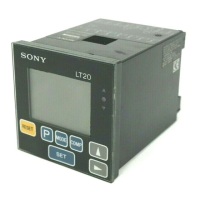
This sections uses the 2 channel model in its explanations.
The 1 channel model is the same as the 2 channel model
without the B channel.
BCD and RS-232C models are noted in the text.
5-1. Initial settings
A standard initialization is carried out at the time of
shipping, however it is possible to make the following
selections depending on intended use. Details of the
settings at the time of shipping are given in each section.
• Changing between inches/mm
Turn on power while holding down
RESET
A
and press
MODE
key.
Press
to change between inches/mm.
Press
SET
to set and return to the measuring state.
• Device is set to mm at the time of shipping.
• To change the initial settings hold down the
SET
key and
press the
MODE
key for approximately 2 seconds.
Basic operation
MODE
: to the next item.
: Select item.
SET
: Set item.
Note
• Even if you select an item with the
key, no changes
will be mode until you press the
SET
key.
• Once the initial setting mode has been entered it is not
possible to return to the measuring state partway
through. Press the
MODE
key repeatedly to skip the items.
5-1-1. Basic settings
1. Setting the display
(2 channel models)
One of the following may be
chosen: A and B
Only A+B
2. Setting the resolution or direction (channel A)
One of 0.001, 0.005, 0.01,
–0.001, –0.005, or –0.01 mm
can be chosen.
• With the measuring probe’s
spindle pushed in:
+: positive direction
–: negative direction
∗ When set to inches, values are chosen from 0.0001,
0.0002, 0.0005, –0.0001, –0.0002, and –0.0005.
Note
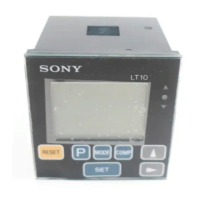
With the LT10 series, 0.001 mm and –0.001 mm (0.0001"
and –0.0001") are not avaible.
3. Setting the resolution or direction
(channel B, 2 channel models)
One of 0.001, 0.005, 0.01, –0.001,–0.005, or –0.01 mm
can be chosen.
• With the measuring probe’s spindle pushed in:
+: positive direction
–: negative direction
• When displaying A+B:
If you set the direction of A to “–” the data displayed is
the calculation “–A+B”.
The same can be done with B.
factory-set
factory-set (LT11)
A
B


 To Next Page
 Loading...