Basic operations
21-GB
Playing back still images
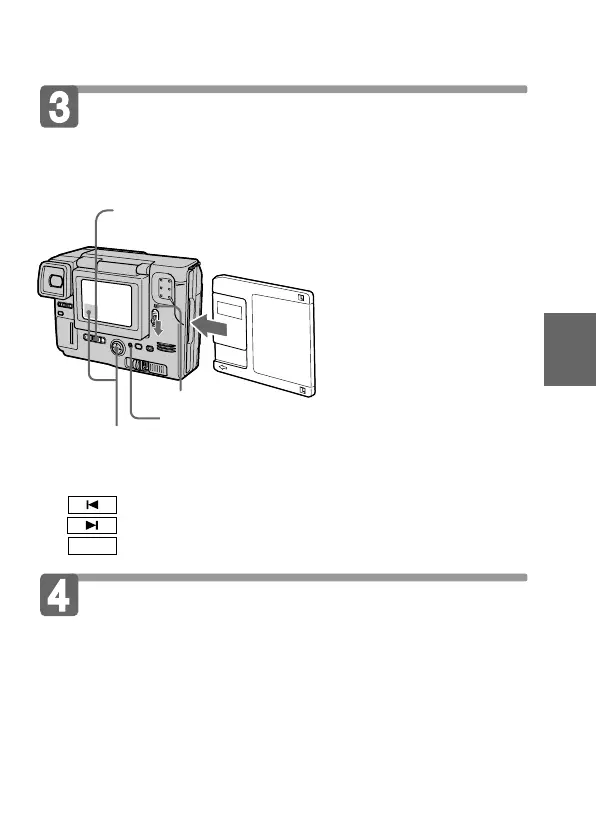
To watch the recorded images on the LCD screen, slide POWER
down to turn on the power (The POWER lamp lights up) and insert
the floppy disk until clicks.
1 Set PLAY/STILL/MOVIE to PLAY.
The ACCESS lamp flashes and the last recorded image
appears on the LCD screen.
2 Select the recorded image with the control button.
Select the button on the LCD screen with the control button, then
press it.
: To display the preceding recorded image.
: To display the next image.
INDEX
: To display 6 recorded images at a time (Index screen).
POWER lamp
Playing back moving images
1 Set PLAY/STILL/MOVIE to PLAY.
The ACCESS lamp flashes and the last recorded image appears on
the LCD screen.
The image recorded in MOVIE mode is displayed one-size
smaller than the other normal-sized images.
2 Select the playback start button on the LCD screen
with the control button, then press it.
The moving image and sound start.
ACCESS lamp



 To Next Page
 Loading...









