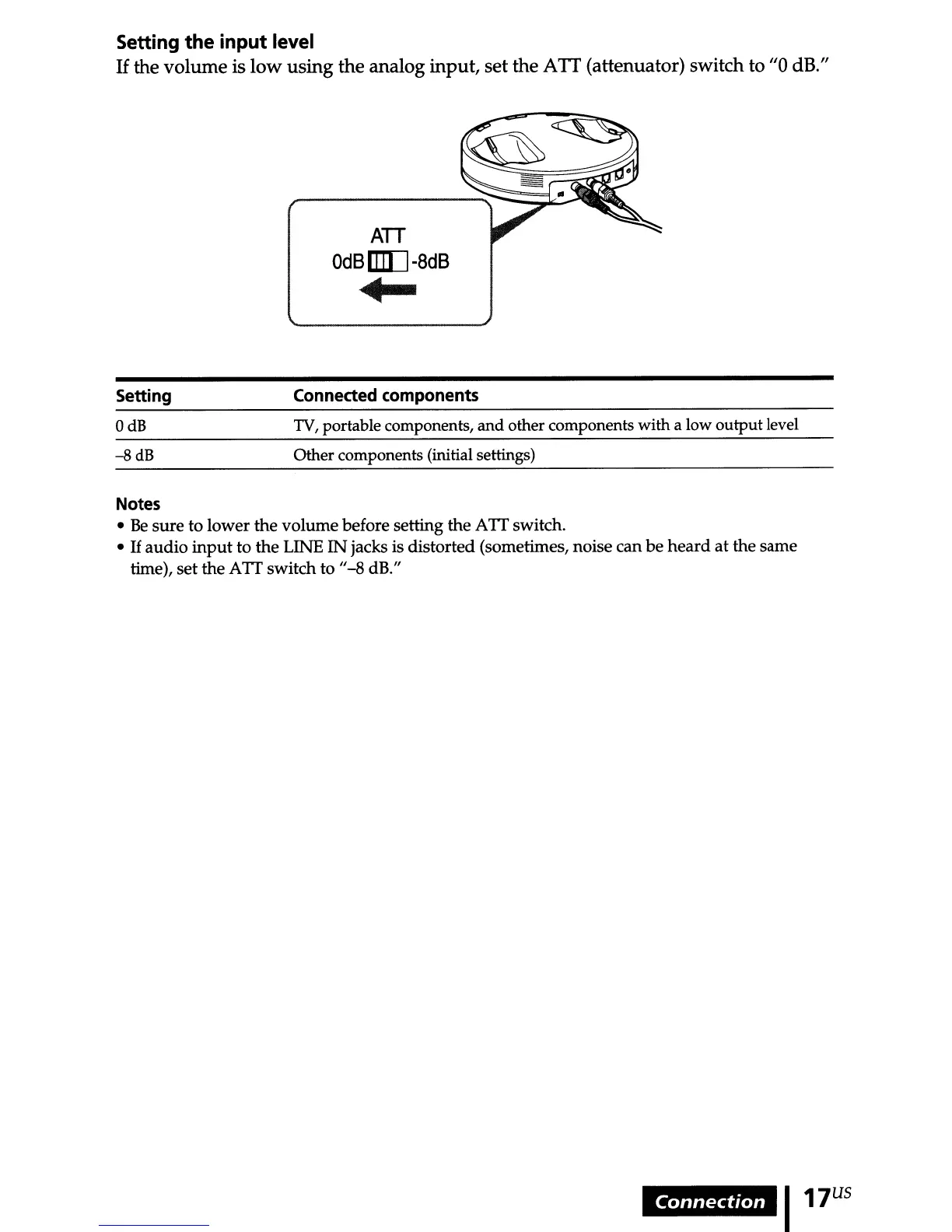
Setting the input level
If
the volume is low using the analog input, set the
ATI
(attenuator) switch to "0 dB."
ATT
OdS
IIID
-8dS
+-
Setting
OdB
--s
dB
Connected components
TV,
portable components, and other components with a low output level
Other components (initial settings)
Notes
•
Be
sure
to lower the
volume
before setting the A
IT
switch.
•
If
audio
input
to
the
LINE
IN
jacks is distorted (sometimes, noise can
be
heard
at the same
time),
set
the
AIT
switch to
/1-8
dR/I
Connection
I17
US



 To Next Page