Basic Operations
17
Tips
• Pressing · or ª when the power is off
automatically turns the power on and starts tape
playback if there is a tape in the deck (One Touch
Play).
• You can switch from another source to the tape
deck just by pressing · or ª (Automatic Source
Selection).
• When you want to reduce the hiss noise in low-
level high-frequency signals, press DOLBY NR so
that “DOLBY NR B” appears.
• When dubbing tapes originally recorded with
Dolby NR B, the dubbed tape is automatically
played with Dolby NR B.
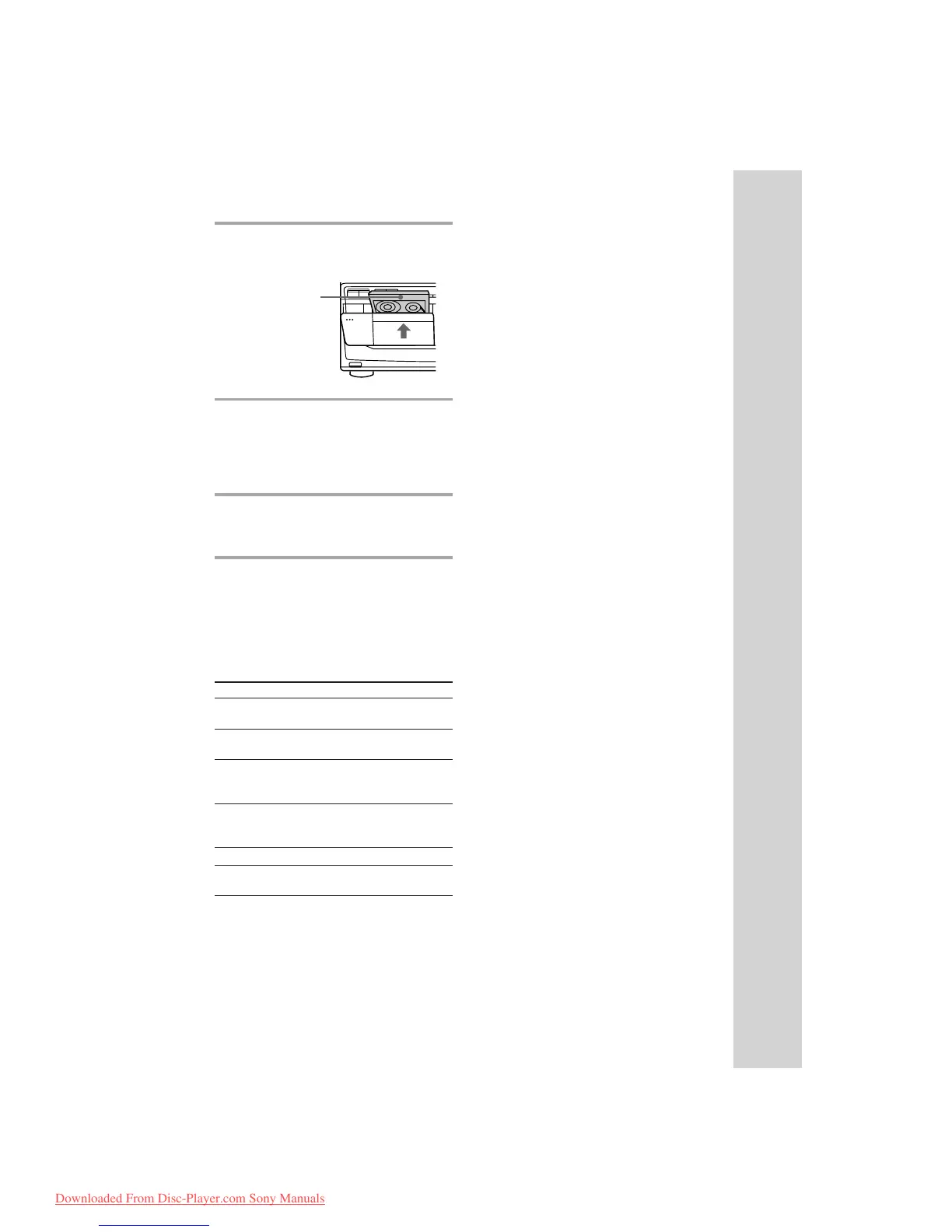
1 Press § EJECT and insert a
recorded tape in deck A or B.
2 Press DIRECTION repeatedly to
select A to play one side. Select
a* to play both sides.
To play both decks in succession, select
RELAY (relay play).**
3 Press ·.
Press ª to play the reverse side. The
tape starts playing.
* The deck stops automatically after
repeating the sequence five times.
** Relay play always follows the following
sequence:
Deck A (front side), Deck A (reverse side),
Deck B (front side), Deck B (reverse side).
To Do this
Stop play Press π (or p on the
remote).
Pause (Deck B only) Press ∏. Press again to
resume play.
Fast-forward Press ‚ while playing
the front side or º while
playing the reverse side.
Rewind Press º while playing
the front side or ‚ while
playing the reverse side.
Remove the cassette Press § EJECT.
Adjust the volume Turn VOLUME (or press
VOL +/– on the remote).
With the side
you want to
play facing
forward
§
‚º
π
ª·
Downloaded From Disc-Player.com Sony Manuals


 To Next Page