9
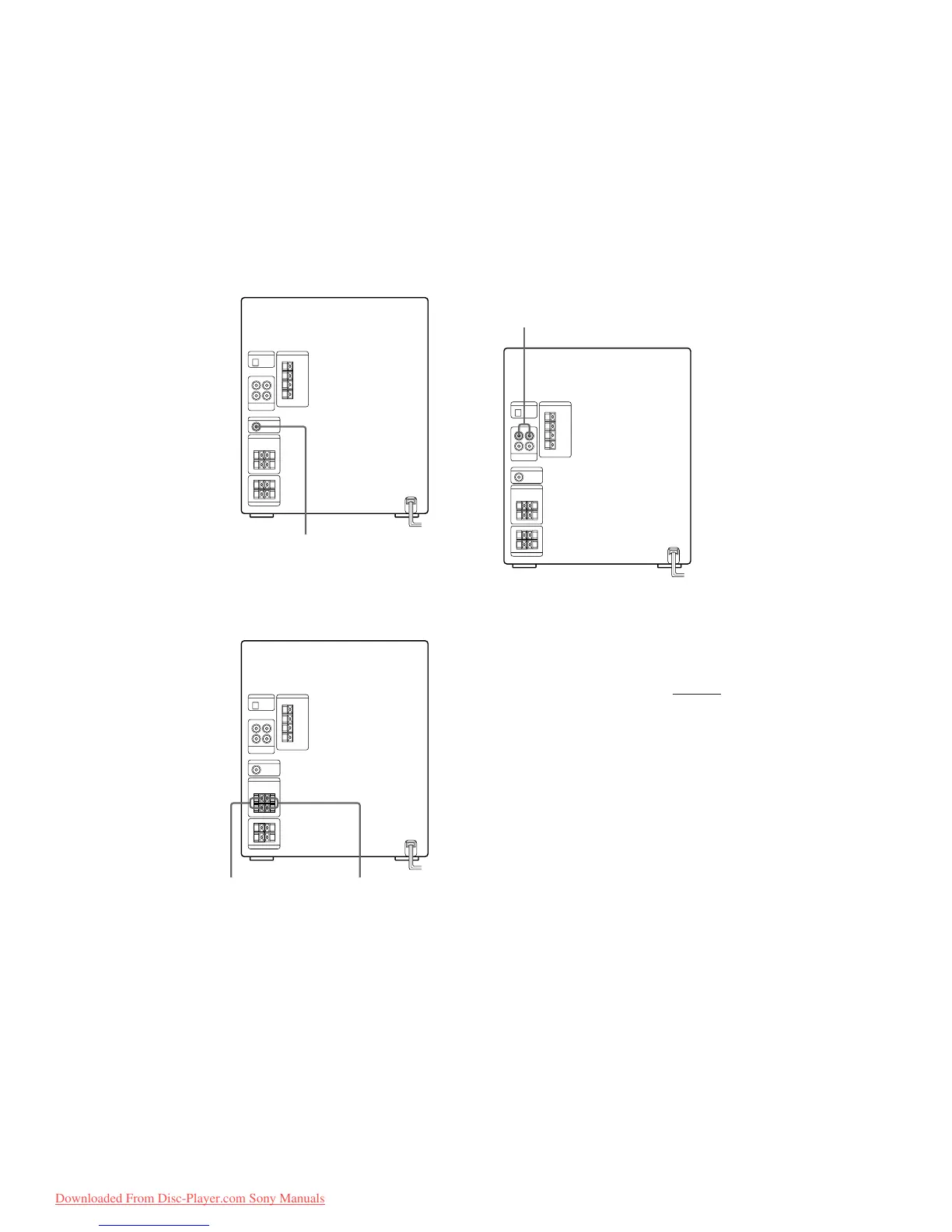
Connecting a super woofer
speaker (except for MHC-D60)
You can connect an optional super woofer
speaker.
Connecting surround speakers
(U.S. and Canadian models only)
You can connect an optional surround
speakers.
Note
You need to connect both left and right surround
speakers. Otherwise, the sound will not be heard.
Connecting a VCR
Make sure to match the color of the plugs and
the connectors. To listen to the sound of the
connected VCR, press FUNCTION repeatedly
until “VIDEO” appears.
Note
If the sound is distorted when selecting “VIDEO”,
switch to “MD” (see “Note” on page 8).
To the audio output of the VCR
To super woofer
To surround
speaker (R)
To surround
speaker (L)
continued
Downloaded From Disc-Player.com Sony Manuals


 To Next Page