22
Playing CDs without
interruption
–– Non Stop Play
You can play CDs without pausing between
tracks.
·∏
§
π
0)
POWER
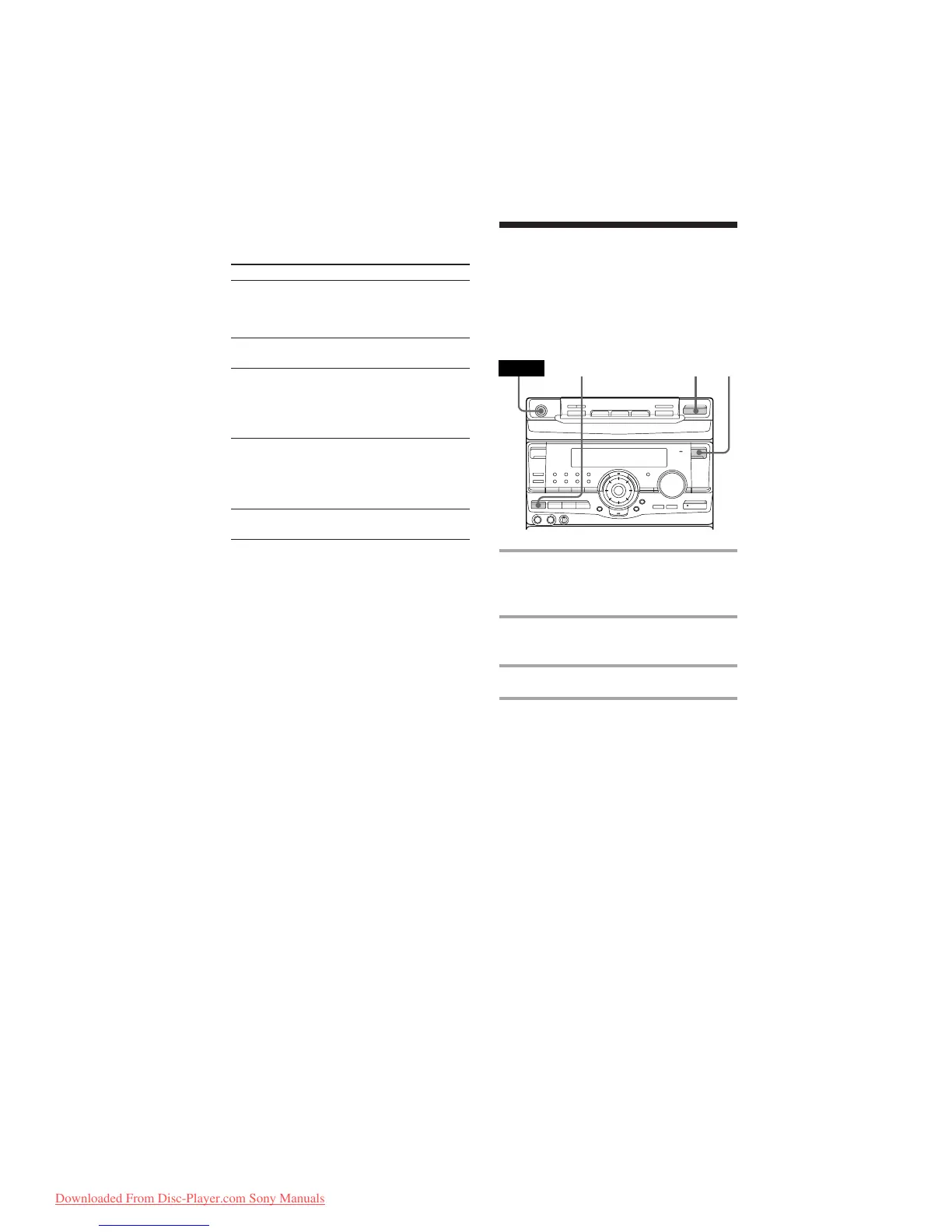
1 Press FUNCTION repeatedly until
“CD” appears in the display, then
place a CD.
2 Press NON-STOP so that the
indicator on the button lights up.
3 Press ·∏.
To cancel Non Stop Play
Press NON-STOP so that the indicator on the
button goes out.
1
2
3
To Press
Check the program CHECK on the remote
repeatedly. After the last
track, “CHECK END”
appears.
Clear a track from CLEAR on the remote in
the end stop mode.
Clear a specific CHECK on the remote
track repeatedly until the
number of the track to be
erased lights up, then press
CLEAR.
Add a track to the 1 Select the disc tray with a
program DISC 1~3 button.
2 Select the track by
turning the jog dial.
3 Press ENTER/NEXT.
Clear the entire π once in stop mode or
program twice while playing.
Tips
• The program you made remains in the CD player
even after it has been played back. Press ·∏ to
play the same program again.
• If “--.--” appears instead of the total playing time
during programming, this means:
– you have programmed a track number
which exceeds 20
– the total playing time has exceeded 100 minutes.
Programming the CD tracks
(continued)
Downloaded From Disc-Player.com Sony Manuals


 To Next Page