36
To check the setting
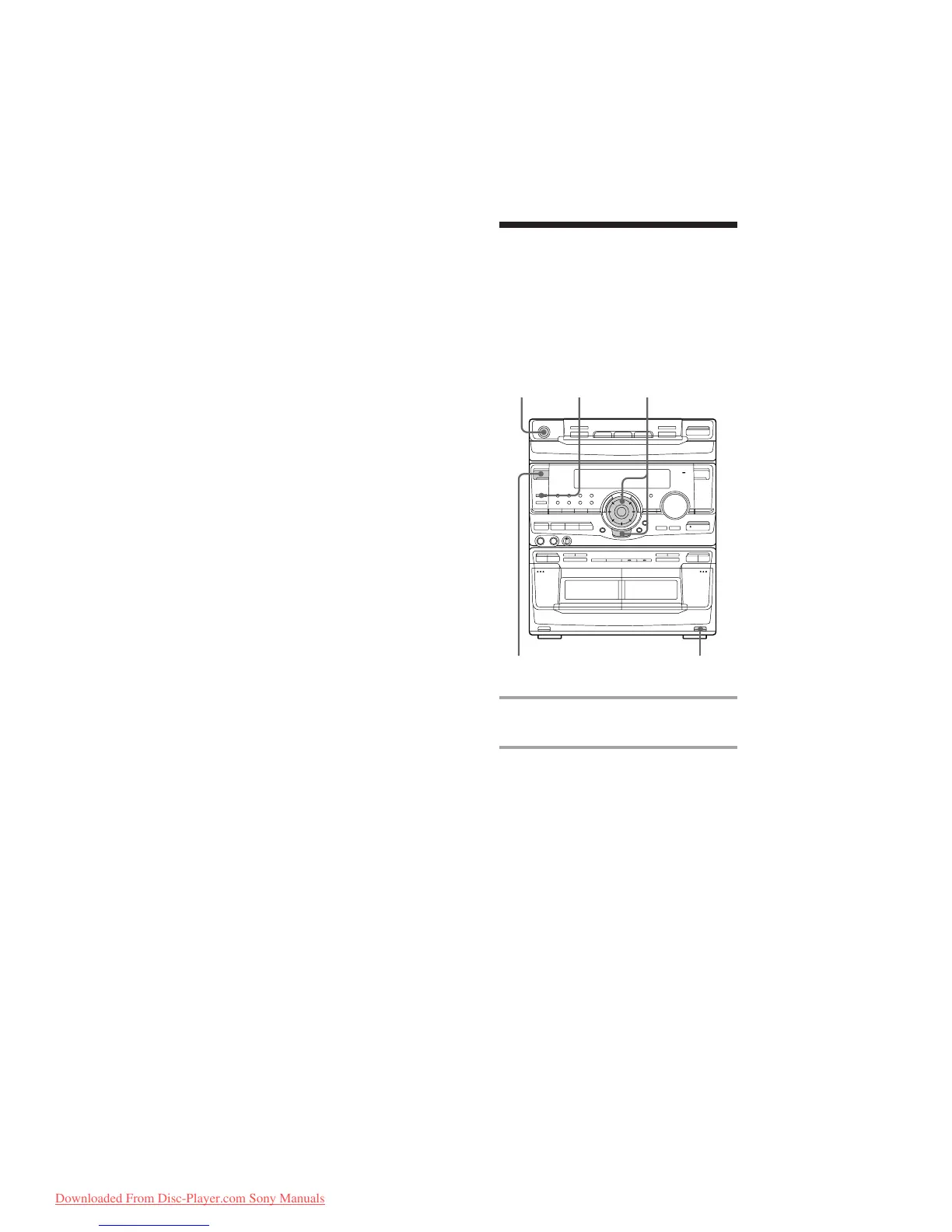
Press TIMER SELECT and turn the jog dial to
select the respective mode (DAILY 1 or
DAILY 2), then press ENTER/NEXT. To
change the setting, start over from step 1.
To cancel the timer operation
Press TIMER SELECT and turn the jog dial to
select “OFF”, then press ENTER/NEXT.
Tip
The power turns on 15 seconds before the preset
time.
Note
When setting the wake-up timer, set the equalizer
display to anything other than Spectrum analyzer
pattern 3.(See “To change the equalizer display” on
page 30.)
Timer-recording radio
programs
To timer-record, you must preset the radio
station (see “Step 3: Presetting radio
stations”) and set the clock (see “Step 2:
Setting the time”) beforehand.
6
3,4,52
TIMER SELECT
1 Tune in the preset radio station (see
“Listening to the radio”).
2 Press CLOCK/TIMER SET.
“SET (DAILY 1)” appears.
Waking up to music (continued)
·∏
‚º
π
ª·
§
§ §
π
0)
‚º
π
ª·
7
Downloaded From Disc-Player.com Sony Manuals


 To Next Page