33
·∏
§
π
0)
POWER
Singing along:
Karaoke
Other Features
3
VOLUME
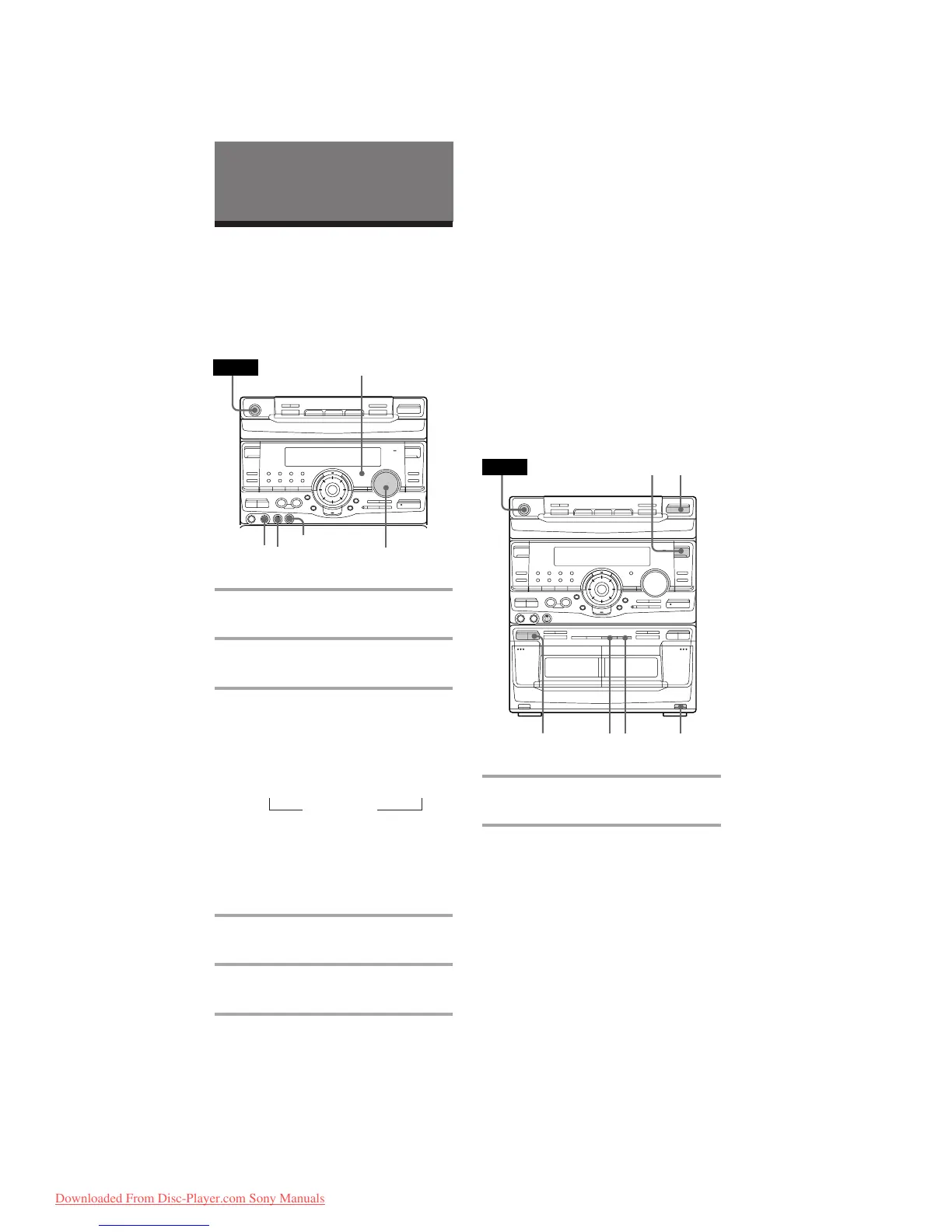
You can sing along with any stereo CD or
tape by turning down the singer’s voice. You
need to connect an optional microphone.
·∏
‚º
π
ª·
§
§ §
π
0)
‚º
π
ª·
POWER
2
541
5
3
Adjusting the microphone echo
(Middle Eastern model only)
Turn ECHO LEVEL to adjust the echo effect.
To cancel the echoing, turn ECHO LEVEL to
0.
When you are done
Turn MIC LEVEL to 0 and disconnect the
microphone from MIX MIC, then press
KARAOKE PON/MPX repeatedly so that
“h” disappears.
Mixing and recording
sounds
1 Do the above steps 1 to 5. Then,
insert a tape in deck B.
2 Press FUNCTION repeatedly to
select the source you desire and set
it to pause mode.
ECHO LEVEL
2
1,5
n
1 Turn MIC LEVEL to 0 to turn down
the microphone control level.
2 Connect an optional microphone to
MIX MIC.
3 Press KARAOKE PON/MPX
repeatedly to obtain the karaoke
effect you desire.
Every time you press the button, the
display changes as follows:
KARAOKE PON n MPX R n MPX L
EFFECT OFF N
The h indicator appears in the display
when a karaoke mode is activated.
To sing karaoke with decreasing the
vocal level of a CD, select KARAOKE
PON. To sing karaoke of multiplex CD
or tape, select MPX R or MPX L.
4 Start playing the music and adjust
the volume.
5 Adjust the microphone volume by
turning MIC LEVEL.
Downloaded From Disc-Player.com Sony Manuals


 To Next Page