23
The VIDEO CD/CD Player
(Power)
Playing a VIDEO CD
with PBC functions
(Ver. 2.0)
–– PBC Play
The PBC (Play Back Control) function display
menus on your TV screen to let you enjoy
interactive software.
Be sure to read the instructions supplied with
each disc for details regarding its use since
different discs have different menu formats
and structures.
1 Start playing a VIDEO CD with PBC
functions (Ver. 2.0).
The VIDEO CD and PBC indicators light
up and a PBC menu appears on your TV.
• VIDEO CD : Lights during playback of
a VIDEO CD.
• PBC : Lights during PBC playback of a
PBC compatible VIDEO CD (Ver. 2.0).
• PBC OFF : Lights when a PBC
compatible VIDEO CD (Ver. 2.0) is
played without using the PBC
functions (see below).
2 Turn the jog dial to select a number
from the menu, then press ENTER/
NEXT or SELECT.
3 Continue according to the
instructions on the menus to enjoy
interactive playback.
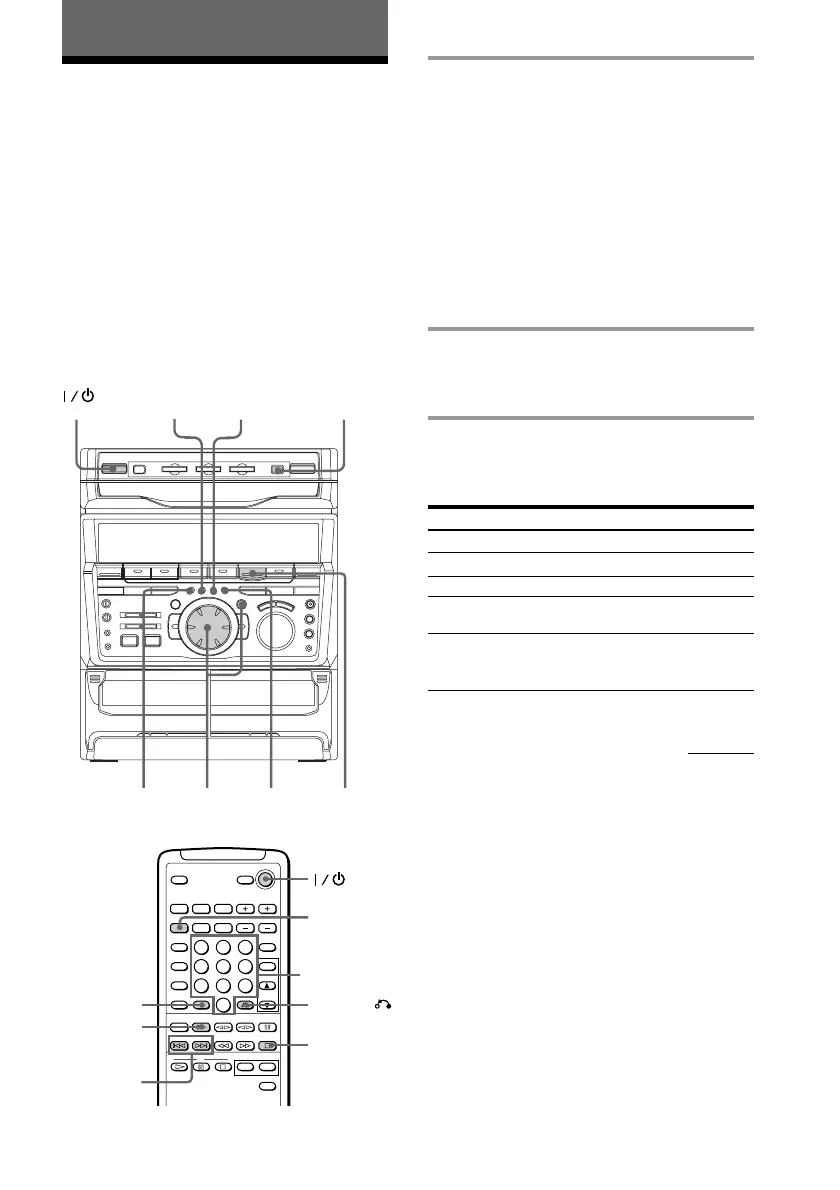
To Do this
Stop play Press p.
See the rest of a menu Pres NEXT.
Go back to the top of a Press PREV.
menu
Go back to a previous Press RETURN (or
menu ˆ RETURN on the
remote).
D.SKIP
RETURN
SELECT, CD (
>10
PREV/NEXT
p
DISC SKIP
EX-CHANGE
SELECT
NEXT
PREV
RETURN
p
6 6
continued
2
Numeric
buttons



 To Next Page