42
Effect
ROCK
POP
JAZZ
DANCE
SOUL
ACTION
ROMANCE
DRAMA
SPORTS
FLAT
For
Standard music sources
Soundtracks
and special listening
situations
Listening without effects
Selecting the audio
emphasis
The audio emphasis menu lets you select the
sound characteristic according to the sound
you are listening to.
6 6
231
(Power)
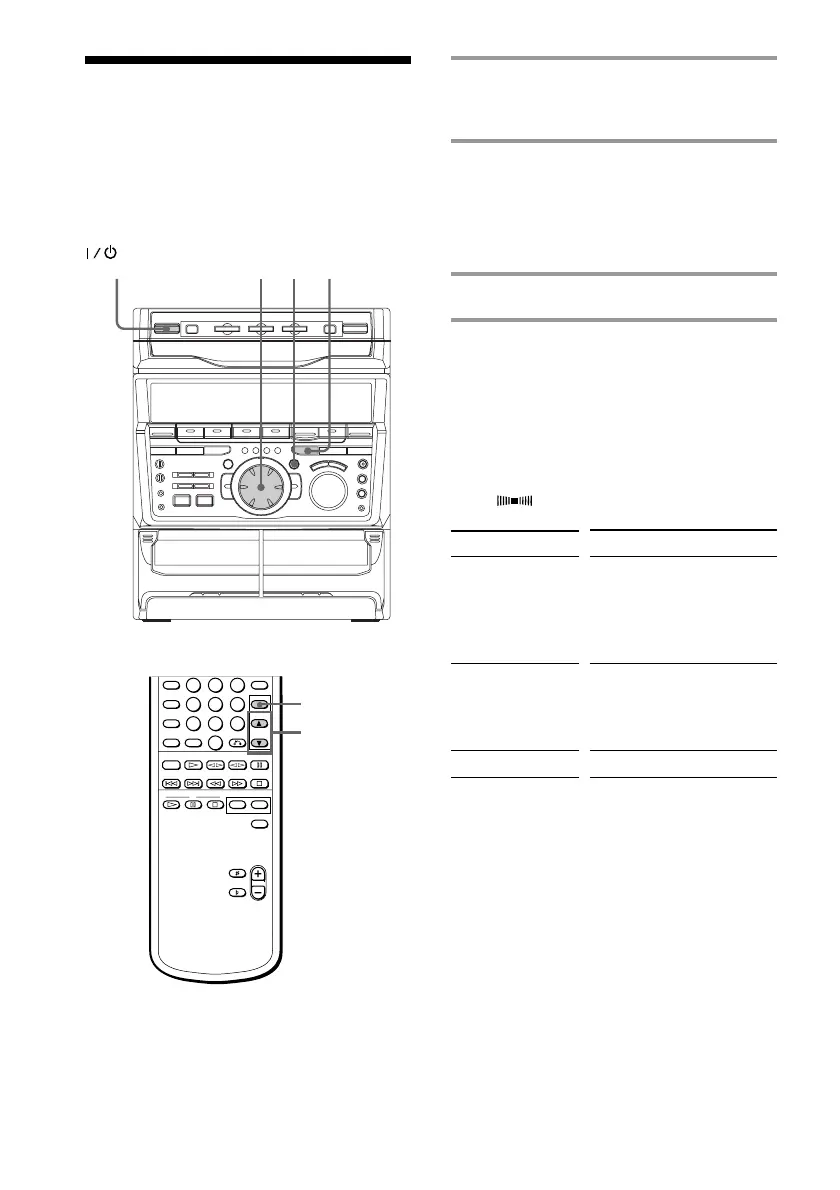
1 Press FILE SELECT.
The last effect chosen appears in the
display.
2 Use the jog dial (or press FILE
SELECT 4 or $ on the remote) to
select the preset you desire.
The preset name appears in the display.
See the chart “Music menu options”.
3 Press ENTER/NEXT.
To cancel the effect
Press ON/OFF on the remote repeatedly so
that “EFFECT OFF” appears in the display.
Music menu options
“SUR ” appears if you select an effect
with surround effects.
FILE SELECT
4/$
ON/OFF



 To Next Page