27
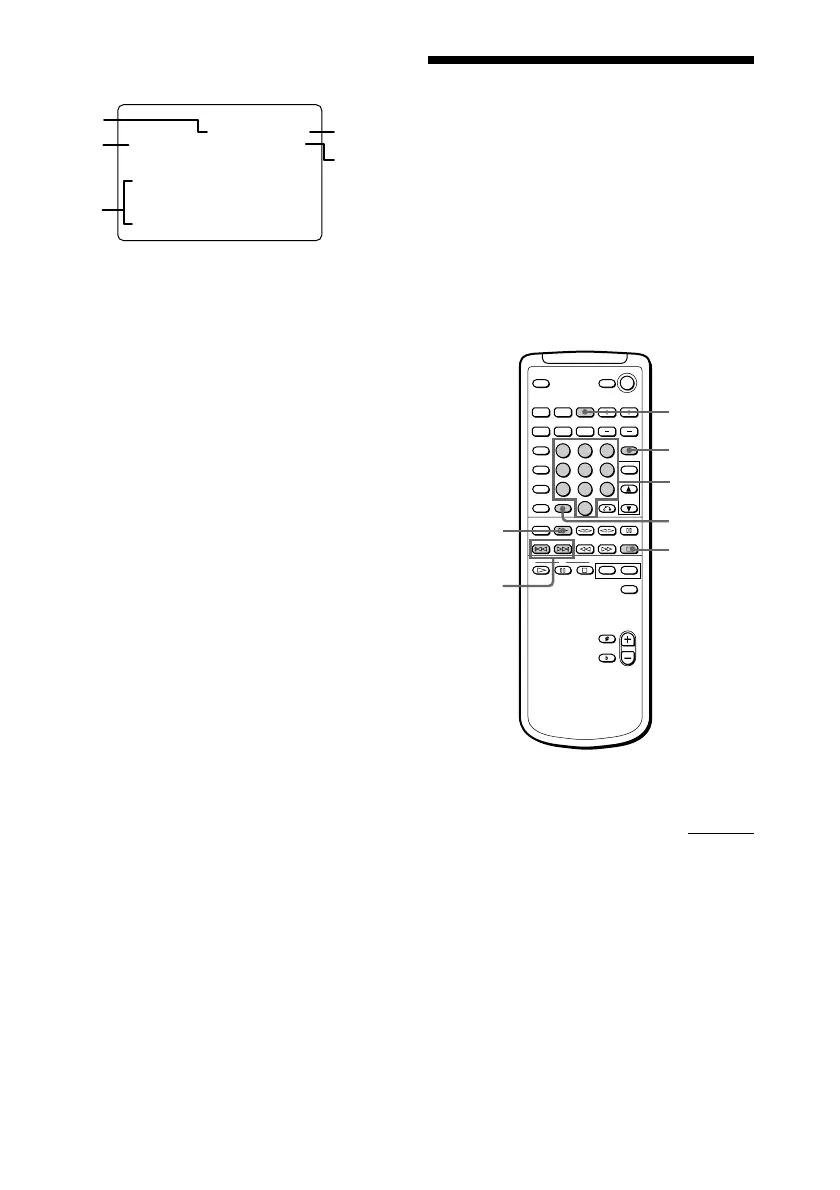
• During stop mode of an audio CD
(except Program Play mode)
1 Current disc number
2 Play mode
3 Disc number and track numbers
4 Total playing time of current disc
5 “REPEAT 1” or no display
* Music calendar appears when SHUFFLE
mode is selected.
• During stop mode of a VIDEO CD or
audio CD in Program Play mode
Display is the same as ON SCREEN 1.
ON SCREEN OFF
No display (except for special menus).
Notes
• Normally, leave the display mode set to either
ON SCREEN 1 or 2. When you select ON
SCREEN OFF, you cannot check the operating
status while operating the CD player. In this
case, check the information on the front panel
display.
• When you record video signals played back from
this system onto a video tape (etc.), be sure to
select ON SCREEN OFF. Otherwise, the display
information will also be recorded on the video
tape.
To switch language of on-screen
display (Chinese model only)
You can switch the messages in the on–
screen display from Chinese to English.
1 Press SPECIAL MENU.
2 Press 6.
The messages switch from Chinese to
English.
To switch back to Chinese messages, repeat
this operation.
DISC 1
DISC 2
DISC 3
1-10
1-99
TR
TR
VCD
CD
........
1
40 : 00
CD STOP
CONTINUE
DISC 1
REPEAT 1
4
5
2
3
Locating a specific
part of a disc
–– Special Menu
This player has 4 different search features.
Select the search feature you want from the
SPECIAL MENU.
The TV screen must be ON to use these
functions.
CD (
(PREV/NEXT)
>10
ON SCREEN
SPECIAL
MENU
p
123
456
789
10
/0
continued
Numeric
buttons



 To Next Page