MP-CL1A 3-MPA-011-01
11
EN
You can connect other devices to the projector by using screen
mirroring or cables.
Projecting the Contents or Screen of the
Connecting Device
To enhance your viewing experience
• Project in a dark setting for best picture quality
• Project close to viewing surface in medium-light
• Project with confidence – it will focus automatically
Connecting via screen mirroring
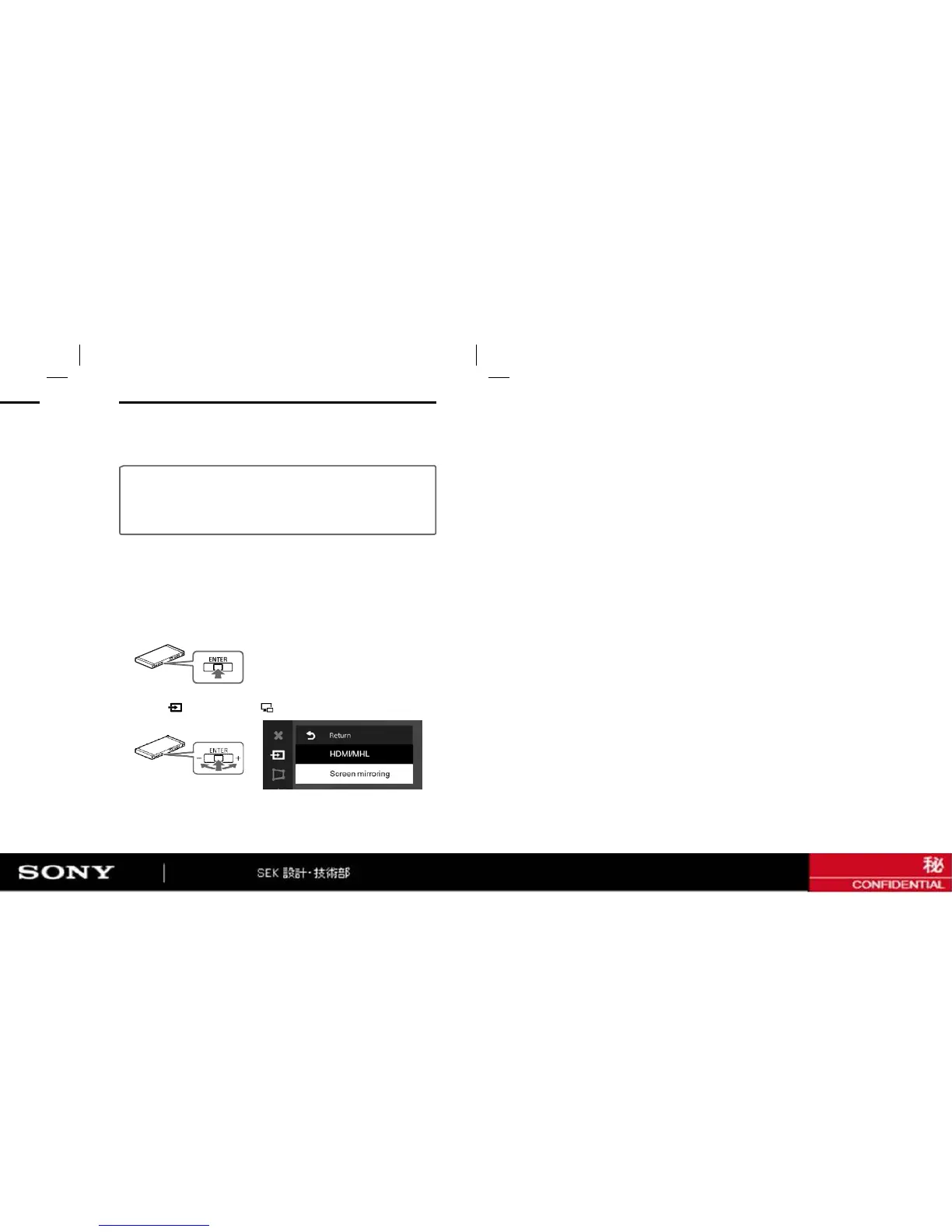
1 Press the jog lever while at the “ENTER” position to display the
menu of the projector.
2 Select [ Input change] - [
Screen mirroring] in the menu.


 To Next Page