MP-CL1A 3-MPA-011-01
15
EN
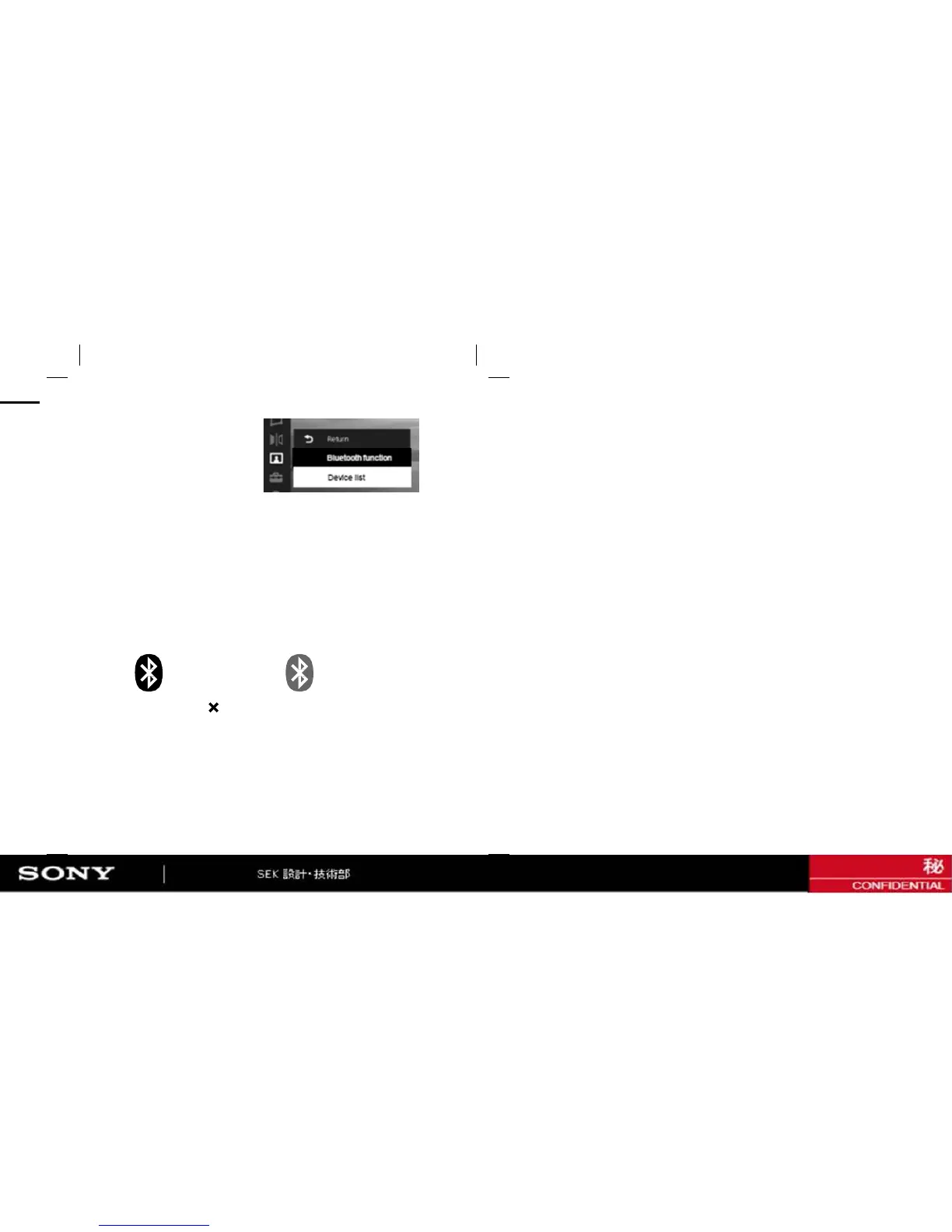
4 Select [@ Device list] in the menu.
5 Select the device you want to connect with the projector from
[Available devices] (or [Paired devices]), then select [Connect].
If passkey* entry is required, refer to the instruction manual or
manufacturer of the device.
* A Passkey may be called a “Passcode,” a “PIN code,” a “PIN number,” or a
“Password.”
6 Make sure that the Bluetooth mark color in the screen is black.
If the mark color is gray, it means it is unconnected. In this case, r
etry steps from 4 to 5.
Connected Unconnected
7 Select [Close] - [
] in the menu of the projector to exit the menu.


 To Next Page