12
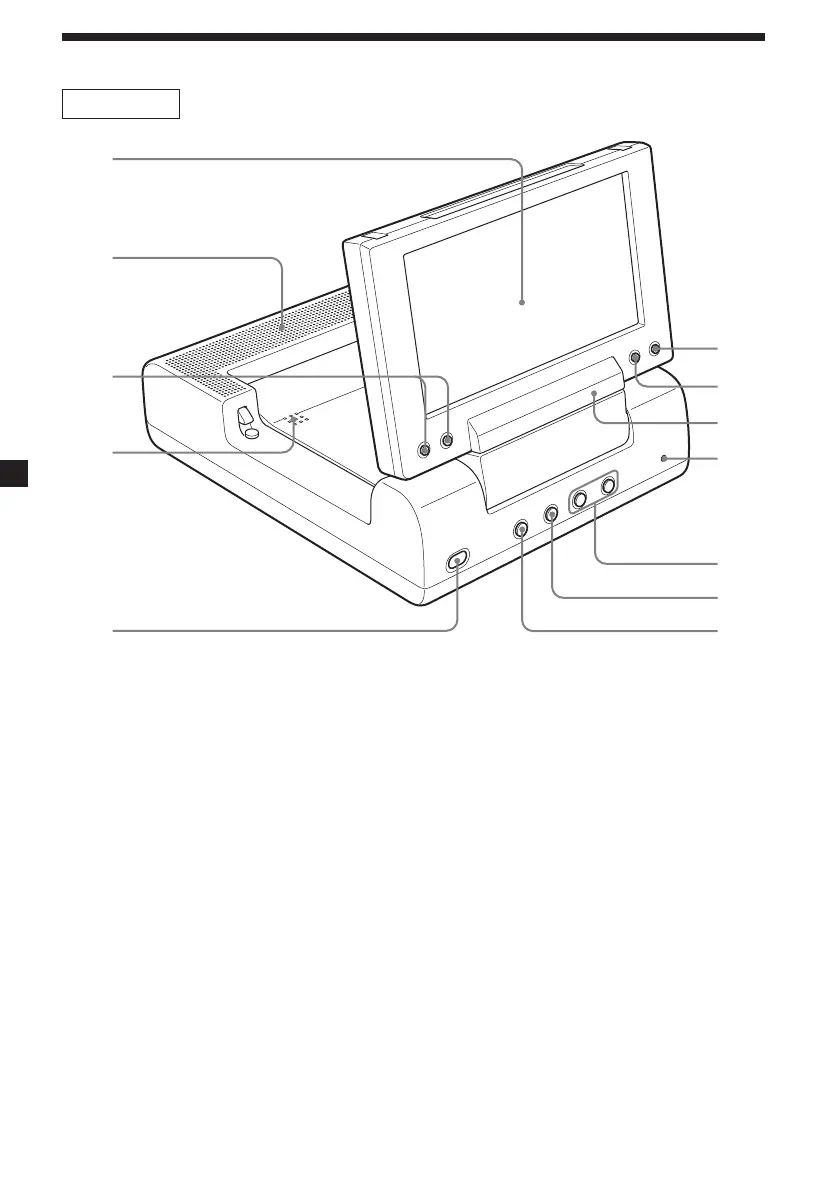
MV-650STR
1
3
2
4
5
8
7
qs
qa
0
9
6
Refer to the pages listed for details.
1 Monitor
2 Speakers (left/right)
3 VOLUME –/+ buttons 14, 31, 32, 34
To turn up or down the volume or to select
the item during menu operation.
4 PUSH OPEN 14
To open and close the disc cover.
5 POWER (on/off) button 14, 31, 34
To turn on/off the player.
6 S-MENU button 32
To make various display settings.
7 REVERSE button 11, 34
To switch images upside down and
reverse the output of the audio channels.
8 Receptor for the card remote
commander
9 RESET button 11
0 . (previous)/> (next) buttons 15
qa x (stop) button 15, 16, 17, 20
qs u (play/pause) button 14, 15, 16, 17
continue to next page t
Location of controls















 To Next Page