26
Changing Setup
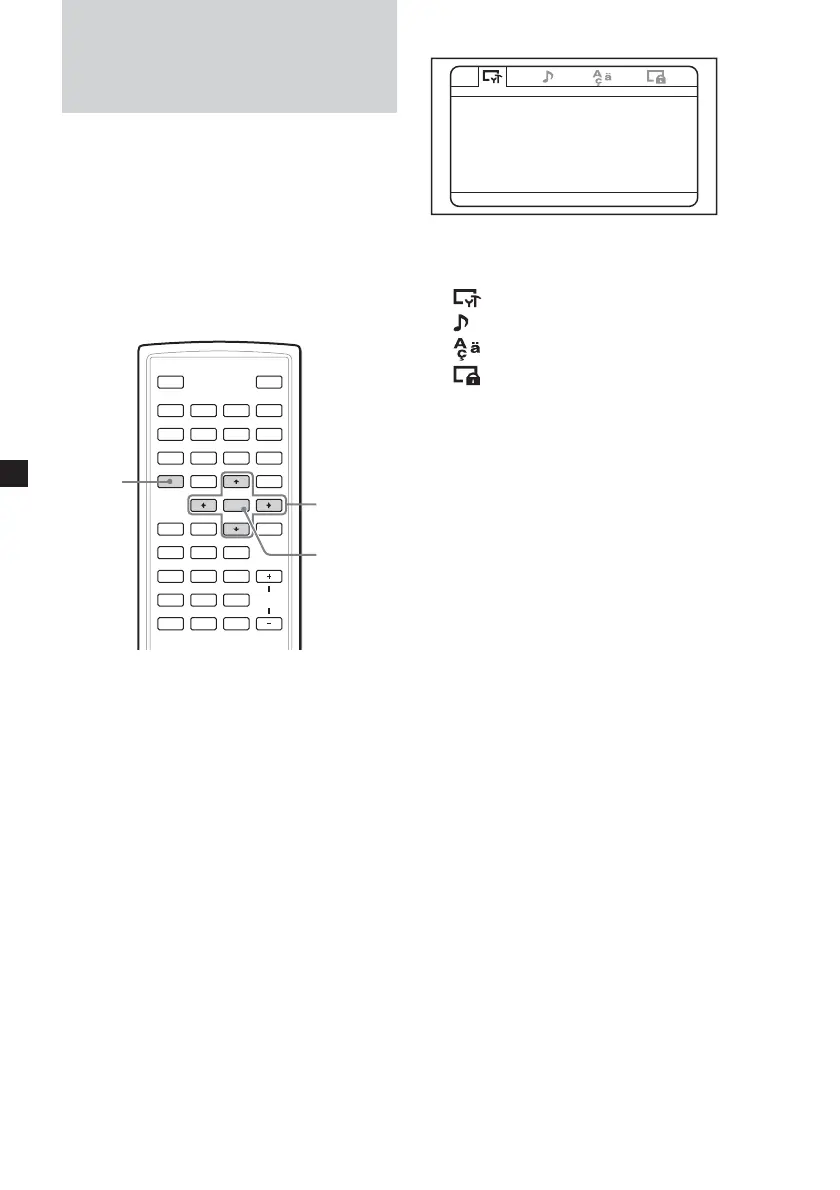
You can set up and adjust this player using the
on-screen setup menus. Most settings need to
be set when you first use this player.
Setup menus are:
•General Setup Page (system settings)
•Audio Setup page (settings for digital audio
output)
•Language Page (language settings)
•Parental Setup Page (setting for parental
control)
SOURCE
AUD IO
`/1
VOL
1
4
7
2
5
8
0
3
6
9
ENTER
SUBTITLE
SETUP MENU
TOP MENU
SEARCH
O
PROGRAM
ANGLE
CLEAR DSPL
REP
ux>.
y
y
Mm
V/v/B/b
SETUP
ENTER
Refer to “Settings by using the S-MENU button
on the monitor” (page 32) for settings of the
monitor.
1 Press (SETUP).
-- General Setup Page --
Monitor Type
Angle Mark On
Screen Saver On
Color System
Select:<, Set:Enter Quit:SETUP
NTSC
Default
2 Press < or , button to select the
desired item.
:General Setup Page
: Audio Setup Page
:Language Page
:Parental Setup Page
3 Press (ENTER).
4 Press M or m button to select the desired
setting.
5 Press (ENTER).
6 Press M or m or < or , to select
(adjust) the setting option.
7 Press (ENTER).
8 Press (SETUP).















 To Next Page