— 12 —
6-2. Saving the Error Status and Initializing the
EEPROM
6-2-1. Saving the Error Log File
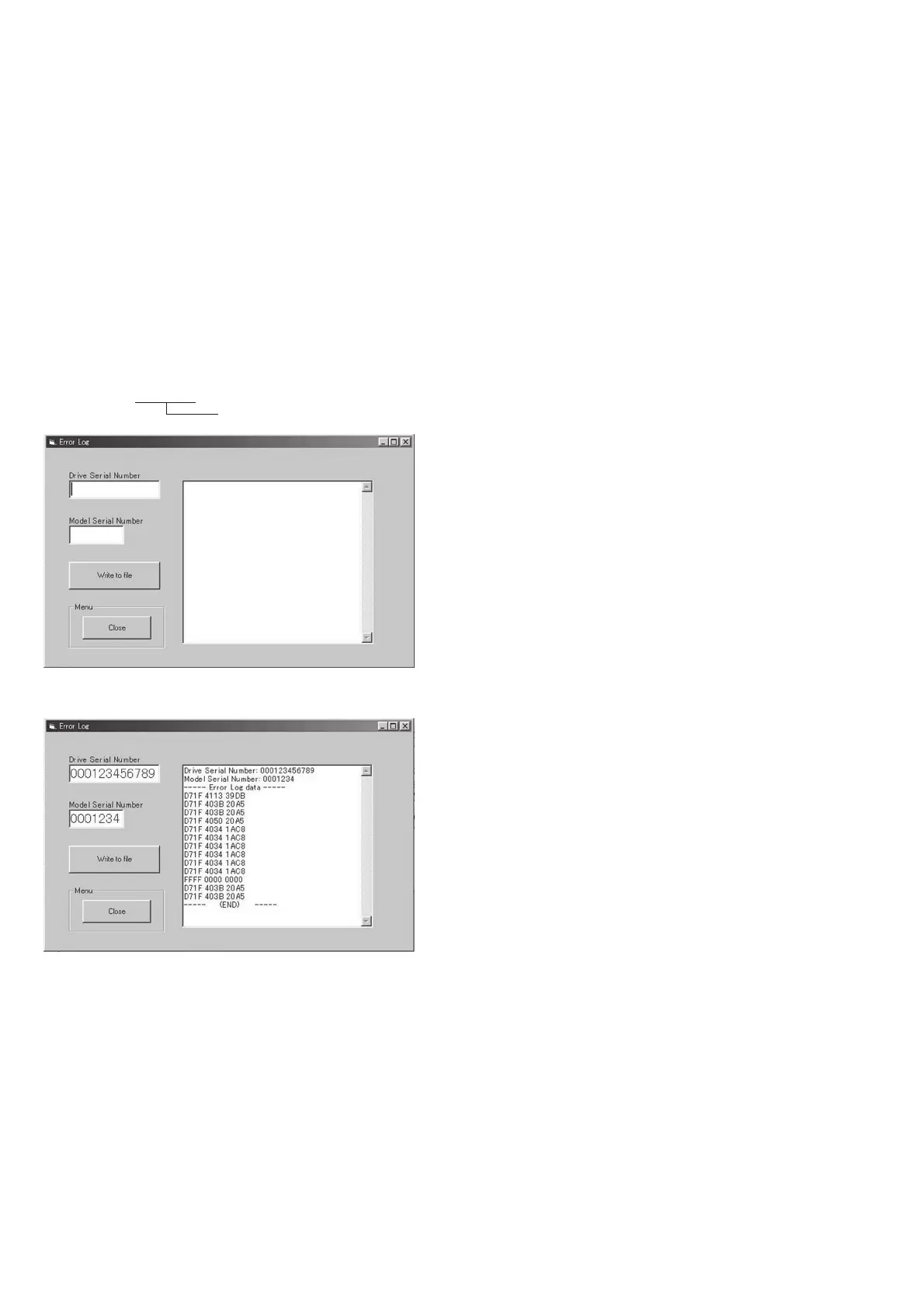
1) Click the [Error Log File] button on the Adjustment Menu
(Engineer) screen.
2) Confirm that the Error Log screen appear. (Fig. 6-2-1)
3) Type the serial number of MD. (12 digits)
Note: When the serial number is less than 12 digits, type “0” in the
uppermost digital until the total digits become 12 digits.
4) Type the serial number of DDX-G2100 machine
Note: When the serial number is less than 6 digits, the numeral “0” is
type automatically in the upper digits.
5) Click the [Write to File] button.
6) The Error Log File Selection screen appears automatically. type
the filename (See Note) and save it.
Default name: LXXXXXX.TXT
Serial number of the DDX-G2100
Fig. 6-2-1
Fig. 6-2-2











 To Next Page