— 13 —
6-2-2. Saving the EEPROM Data
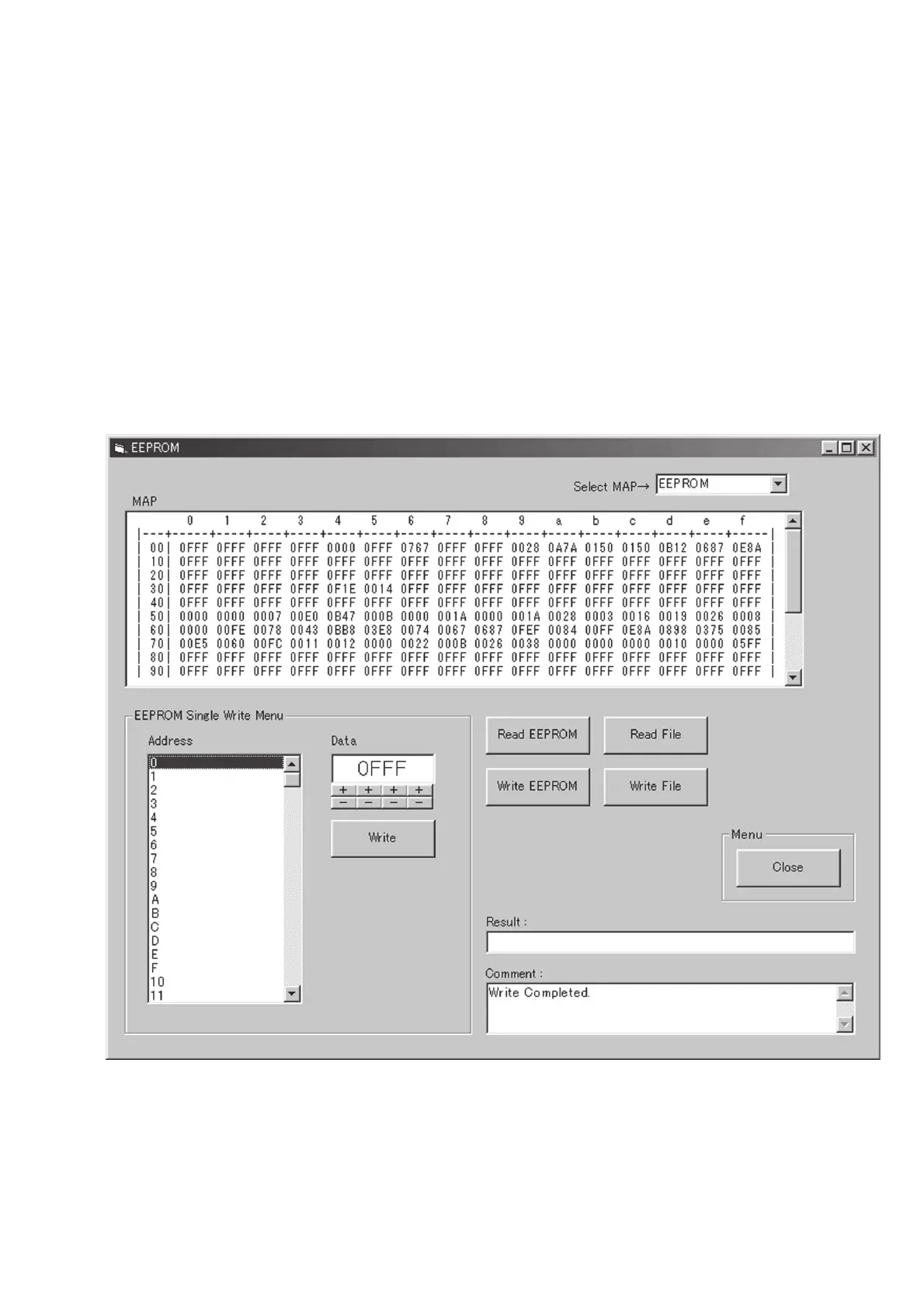
1) Click the [EEPROM menu] button on the Adjustment Menu
(Engineer) screen.
2) Confirm that the EEPROM screen appears. (Fig. 6-2-3)
3) Confirm that the EEPROM data is displayed on the MAP
window.
4) Click the [Write File] button.
5) Type the filename and save it.
6) Click the [Close] button to return to the main menu.
Description of the EEPROM Screen
[Select MAP] selector
Either the data that is read from the EEPROM or the data that
is read from the data file can be selected to show the data on
the [MAP] window.
[Address] window
When the address number is clicked, data of the address appears
in the [Data] window.
[Write] button
When the data that is displayed on the [Data] window is selected
using [+], [–] buttons, and when [Write] button is clicked, the
data on the display is written in the EEPROM.
[Read EEPROM] button
When this button is clicked, data is read from the EEPROM
and is displayed in the [MAP] window.
[Write EEPROM] button
When this button is clicked, the data that is read from the file is
written in the EEPROM.
[Read FILE] button
When this button is clicked, the desired data file can be selected
from PC and can be displayed in the [MAP] window.
[Write FILE] button
When this button is clicked, the desired filename can be attached
to the EEPROM data and can be saved in the PC.
Fig. 6-2-3











 To Next Page