55
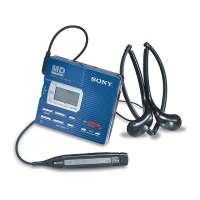
The headphones with a remote control
A Headphones
Can be replaced with optional
headphones.
B x (stop) button (12)(33)(35)
C Control (12)(33)(35)(39)
To play, press towards N • >
during stop.
Press towards N • > during play
to search the beginning of the
succeeding track; hold in this position
to fast-forward. Press towards .
during play to search the beginning of
the preceding track; hold in this
position to rewind.
D HOLD switch (29)
Slide to lock the controls of the
remote control.
E X (pause) button (12)(35)(38)
F PLAYMODE button (26)(36)
G DISPLAY button (21)(29)(33)(36)
H VOL +/–buttons (12)(35)
I Display window (21)(26)
For Customers in the USA
Unfold the supplied headphones as shown
in the illustration below.
A
H
B
C
D
E
F
G
I
US model
Other models


 To Next Page
 Loading...









