28
You can select the desired image quality from the high definition image quality (HD) that
enables you to record fine images, or the standard definition image quality (SD) that has more
compatibility with various playback devices ([HD] is the default setting). Change the image
quality according to the recording situation or the playback device.
To change the setting
Press MENU t select (REC/OUT SET) t [REC SET] t [ / SET] t []
or [ ] with the SEL/PUSH EXEC dial.
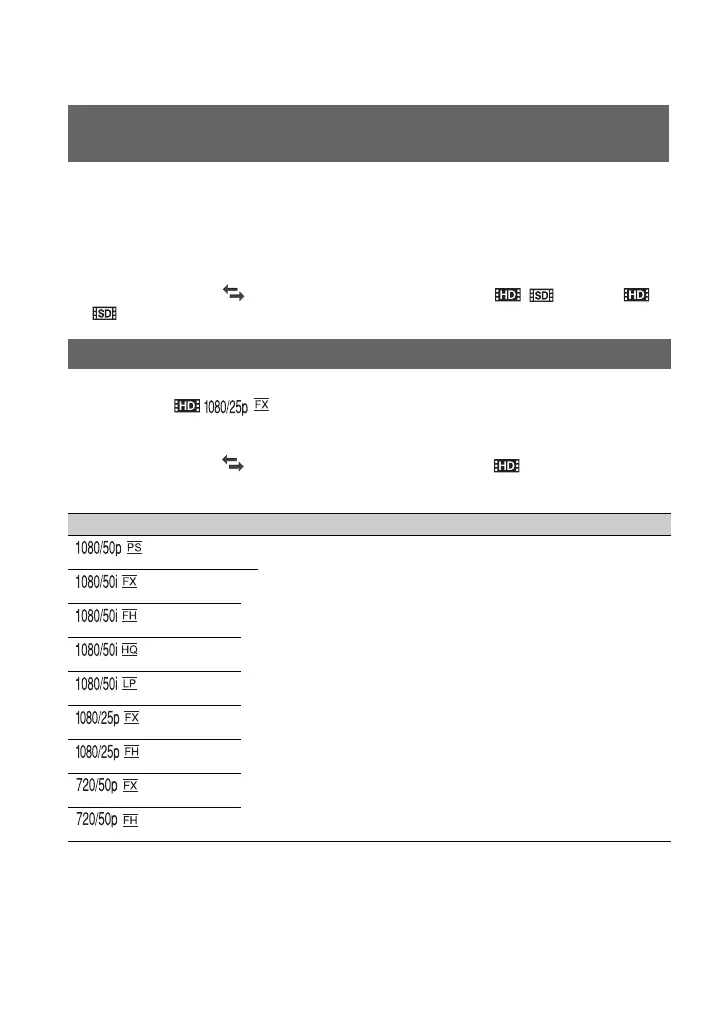
You can select the recording format (bit-rate, image size, frame rate, scanning system). In the
default setting, [ ] is selected.
To change the setting
Press MENU t select (REC/OUT SET) t [REC SET] t [REC FORMAT] t a
desired format with the SEL/PUSH EXEC dial.
Selecting high definition image quality (HD) or standard definition
image quality (SD)
Selecting the recording format
Setting value Description
• Bit-rate
PS: max. 28 Mbps
FX: max. 24 Mbps
FH: approx. 17 Mbps (average)
HQ: approx. 9 Mbps (average)
LP: approx. 5 Mbps (average)
•Image size
PS: 1920×1080
FX: 1920×1080/1280×720
FH: 1920×1080/1280×720
HQ: 1440×1080
LP: 1440×1080
• Frame rate
either 25 or 50
• Scanning system
i: interlace
p: progressive
Recording (Continued)












 To Next Page