53
Recording/Playback
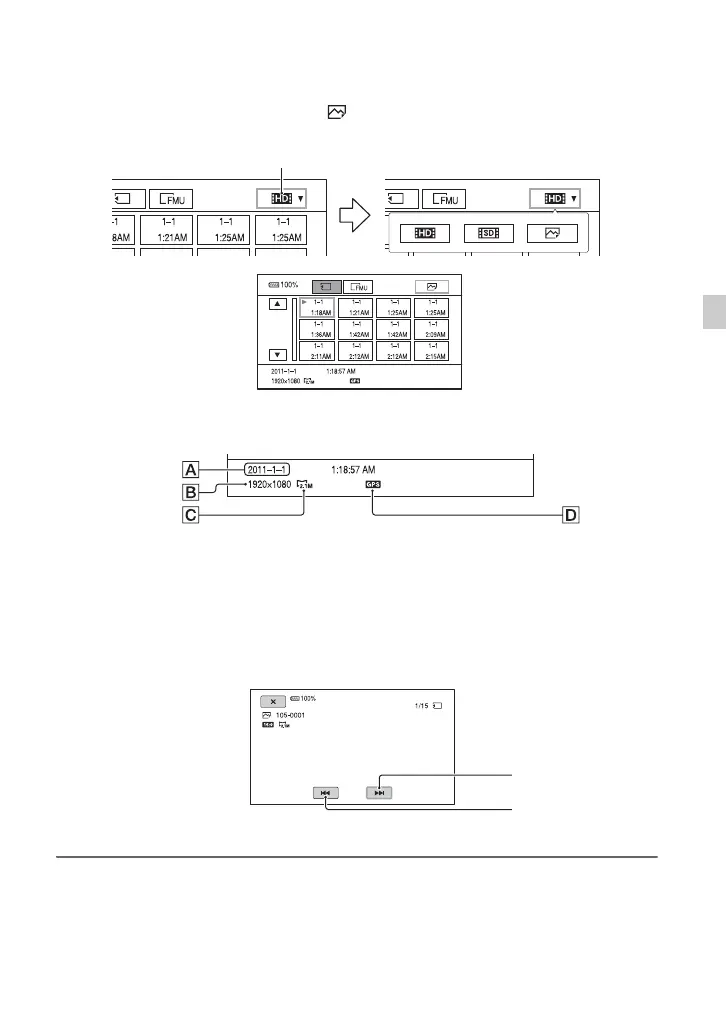
2 Touch the playback mode, then select (still image).
3 Touch twice the thumbnail of the still image you want to view.
The first touch will show the information on the still image at the lower part of the screen.
ADate and time of recording
BResolution
CImage size
DGPS data
Appears on a still image that was created from a movie recorded with [GPS SETTING] set to
[ON] (default setting) on the [OTHERS] menu.
Your camcorder displays the selected still image.
Playback mode
Previous
Next












 To Next Page