77
Using the Menu
z Tips
• You can focus more easily using this function in
combination with the expanded focus function
(p. 30).
• You can assign an ASSIGN button to work as
[ON/OFF] (p. 48).
x ON/OFF
B OFF
Does not display markers.
ON
Displays markers. Markers are not
recorded on the recording media.
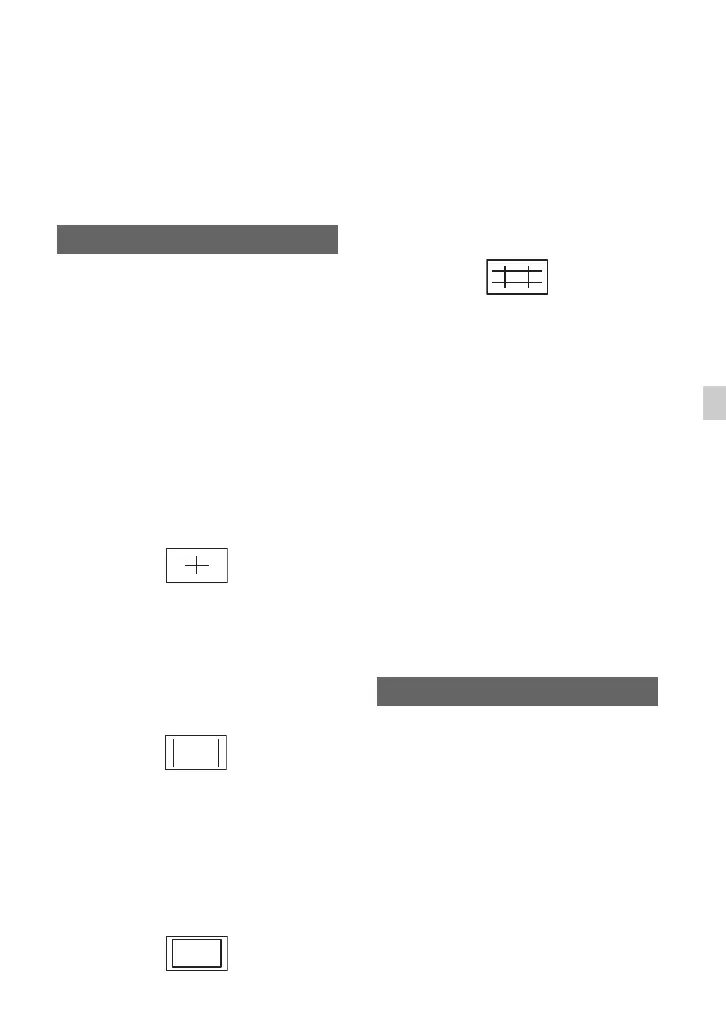
x CENTER
B ON
Displays a marker at the center of the
screen
.
OFF
Does not display a center maker.
x ASPECT
B OFF
Does not display the aspect ratio.
4:3, 13:9, 14:9, 15:9
Displays markers at boundaries of display
area defined by the aspect ratio.
x SAFETY ZONE
B OFF
Does not display the safety zone.
80%, 90%
If you select either one, you can display
markers at boundaries of display area that
regular home TVs can display.
x GUIDEFRAME
B OFF
Does not display the guide frame.
ON
You can display frame markers that help
you to check horizontal and vertical
positions of a subject.
b Notes
• Only the time code is output to an external
device via external output jacks when
[MARKER] is set to [ON], even if [DISPLAY
OUTPUT] is set to [ALL OUTPUT].
• You cannot display markers under following
conditions:
– [EXPANDED FOCUS]
– During [SMOOTH SLOW REC]
• You can display markers only on the LCD
screen. You cannot display them on an external
device.
z Tips
• You can display all types of markers at the same
time.
• You can obtain a balanced composition by
positioning the subject at the cross points of the
guideframe marker.
• You can assign an ASSIGN button to work as
[ON/OFF] (p. 48).
OFF
Does not display the iris, gain and
shutter speed settings
.
B ON
Constantly displays the iris, gain and
shutter speed settings on the screen.
MARKER
CAMERA DATA DISPLAY
Continued ,












 To Next Page