21
Using as a DVD-ROM drive
Inserting the disc
1 Press OPEN to open the disc cover.
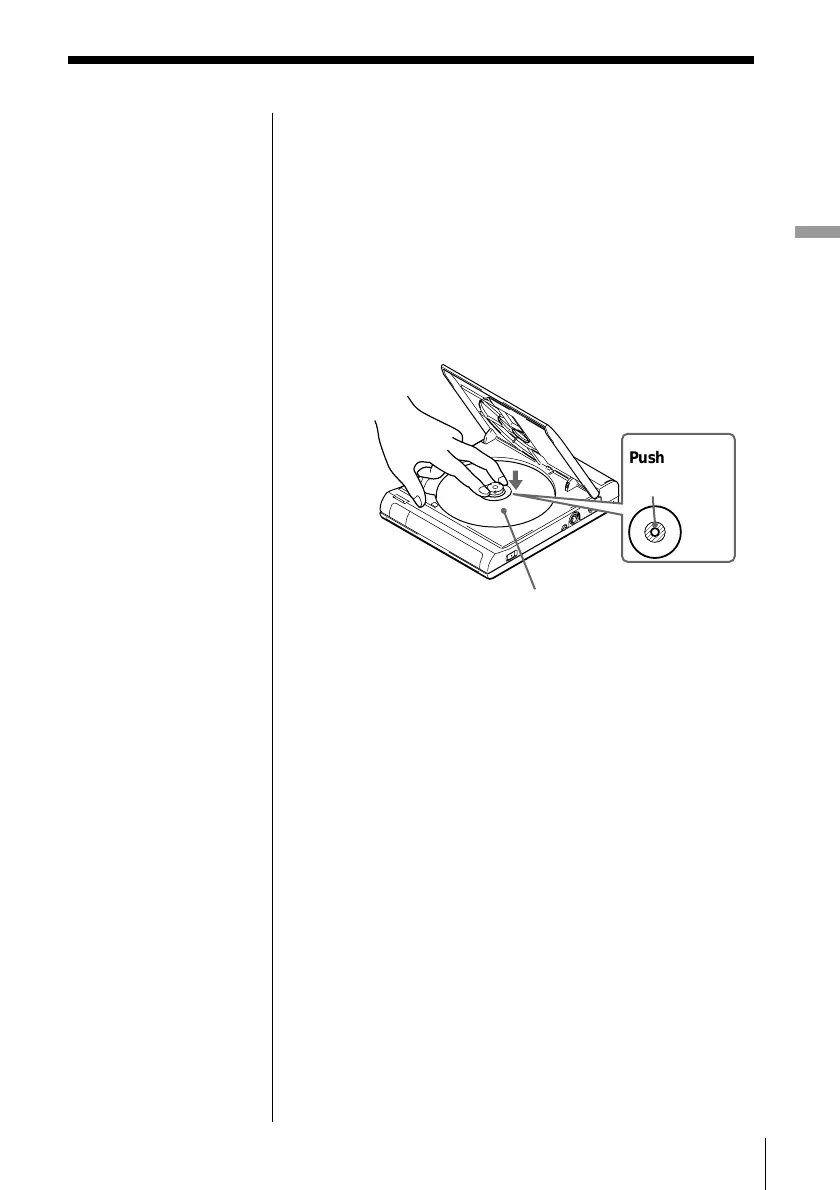
2 Insert a disc.
When inserting a disc, please take note of the
following.
• Insert the disc in a horizontal position.
• Push down gently with two fingers.
• Make sure the disc clicks into the position.
3 Close the disc cover.
Now your PC is ready to read data on the DVD-
ROM. When you start reading data on the DVD-
ROM, the BUSY indicator on the unit lights up
orange.
Push on the
disc here.
With the playback side
facing down
Note
If the disc is not inserted
correctly, it may cause a
malfunction.



 To Next Page