Help Guide
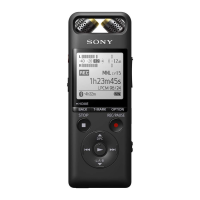
Linear PCM Recorder
PCM-A10
Selecting the audio input type and the sensitivity level of the external microphone
(Ext. Input Setting)
You can select the audio input type ([MIC IN] or [Audio IN]) of the
(microphone) jack and the sensitivity level.
Description of menu items on the Auto Gain Ctrl menu screen for [MIC IN]
You can select one of the following items:
For Voice:
You can select one of the following sensitivity levels for recording voices.
Auto: An appropriate sensitivity level is automatically selected according to the input human voices (default
setting).
High: Suitable for recording distant or soft human voices in large spaces, including conference rooms.
Medium: Suitable for recording small meetings or interviews.
Low: Suitable for speaking into the built-in microphones to record voice notes or recording nearby or loud
human voices.
Select [
Settings] - [Recording Settings] - [Ext. Input Setting] from the HOME menu, and then press .
If an external microphone is not connected to the (microphone) jack, [Only Activated When External Input Used]
appears.
1
Press or to select the desired audio input type, and then press .
To select the audio input type and leave the sensitivity level of the external microphone as it is:
Select [MIC IN] or [Audio IN].
MIC IN: When an external microphone is connected to the
(microphone) jack, select [Auto Gain Ctrl] or [Manual]
under this audio input type.
Audio IN: When an external device other than a microphone is connected to the
(microphone) jack, select [Auto
Gain Ctrl] or [Manual] under this audio input type.
To select the audio input type and the sensitivity level of the external microphone:
Select [Auto Gain Ctrl] under [MIC IN] or [Audio IN], and then press
. Pressing displays the Auto Gain Ctrl
menu screen. Proceed to step 3.
2
Press
or to select [For Voice] or [For Music], and then press .
3
Press
or to select the desired sensitivity level, and then press .
4
Press and hold BACK/HOME to return to the HOME menu.
To return to the screen before you displayed the HOME menu, press
STOP.
5


 To Next Page