Help Guide
Linear PCM Recorder
PCM-A10
Taking full advantage of the adjustable microphones
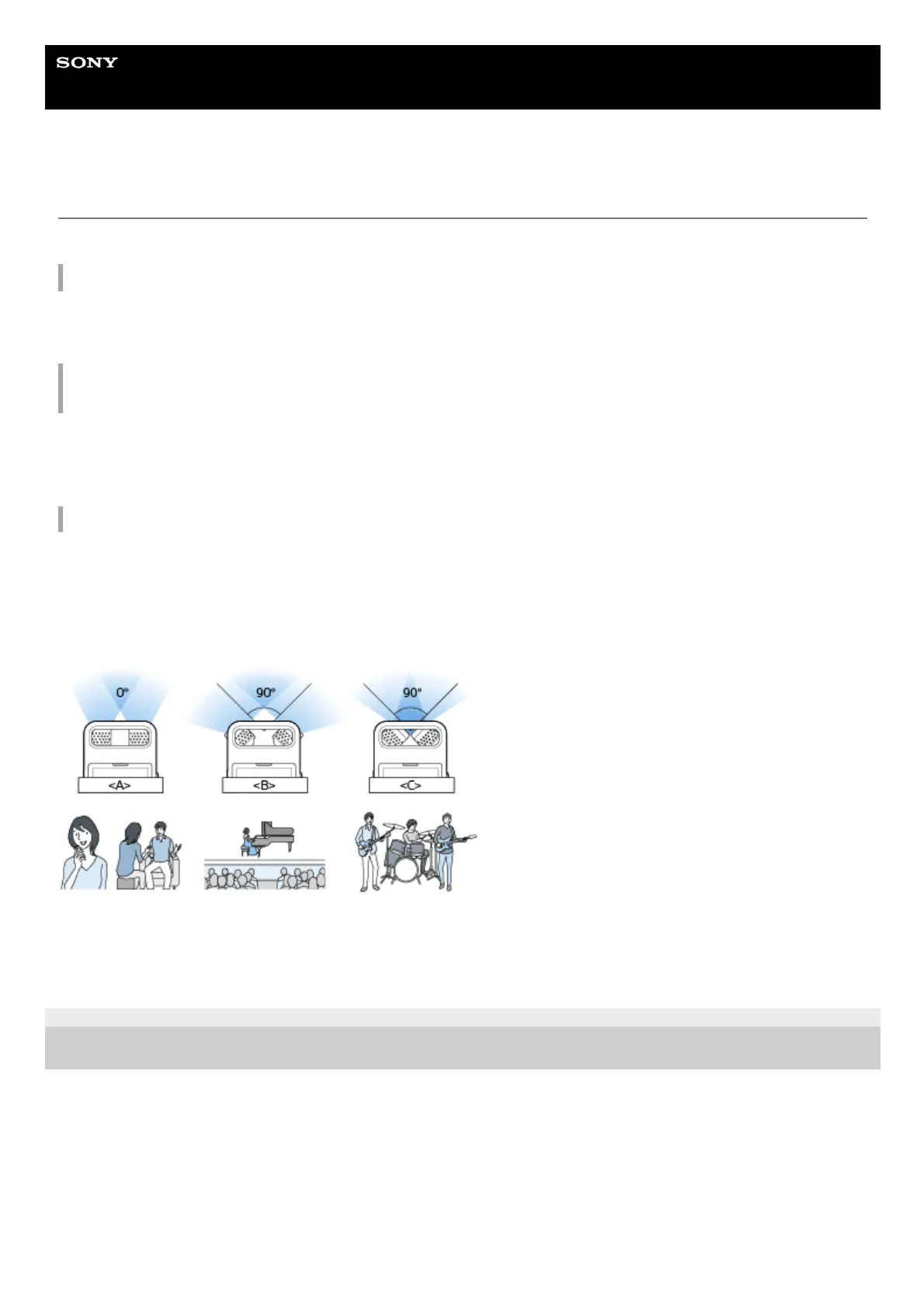
You can manually change the positioning of the built-in microphones in three ways to best suit the recording scene.
Both microphones are positioned to point in the same direction (Zoom-in positioning)
The built-in microphones collect sounds mostly from the direction in which they point. This microphone positioning is
recommended for recording sounds from a particular direction, such as recording a voice note or an interview.
Both microphones are tilted outward to lean away from each other at 90° (Wide stereo
positioning)
The right built-in microphone collects sounds from the right while the left built-in microphone collects sounds from the
left. This microphone positioning is recommended for recording wide stereo sound, such as discussions in a meeting,
music performances in a hall, lectures in a seminar, or singing of wild birds.
Both microphones are tilted inward to lean toward each other at 90° (X-Y positioning)
The right built-in microphone collects sounds from the left while the left built-in microphone collects sounds from the
right. This microphone positioning is recommended for recording deep natural sound, such as music performances in a
studio.
When the built-in microphones are in the X-Y positioning, do not place your linear PCM recorder extremely close to the
sound source to avoid collecting sounds from the left and the right in the inverted manner.
A: Zoom-in positioning
B: Wide stereo positioning
C: X-Y positioning
4-740-912-31(2) Copyright 2018 Sony Corporation


 To Next Page