28
4-1 Overview
Chapter 4 Handling Files
a) The unit can handle files with user-defined
names in the “C*” part.
b) When the “C*” part of a C*.MXF file name is
changed, a C*S01.MXF file with the same
name in the “C*” part is changed
automatically.
c) When a C*.MXF file is created, a
C*S01.XML file with the same name in the
“C*” part is generated automatically.
d) When a C*.MXF file is deleted, the
C*S01.XML file with the same name in the
“C*” part is also deleted automatically.
Directories cannot be created in the Sub
directory.
General directory
a) UTF-8 file names can be up to 63 bytes in
length. (Depending on the character type or
the operation system, file names (including
extension) may be limited to 21 characters.)
b) When the “Make the drives RecInhibit.” check
box is not checked in the utility software.
The following directory operations are
possible in the General directory.
• Directory creation (up to 63 levels,
including the General directory)
• Deletion and renaming of directories
UserData directory
a) UTF-8 file names can be up to 63 bytes in
length. (Depending on the character type, file
names (including extension) may be limited to
21 characters.)
The following directory operations are
possible in the UserData directory.
• Directory creation (up to 62 levels,
including the UserData directory)
• Deletion and renaming of directories
Note that directly editing or executing the
files stored in the UserData directory may
cause an error depending on the type or
setting of the application for it.
Specifically direct execution of the
application which attempts to create a
temporary work area in the directory and
the executable file stored in the directory
must be avoided.
Note
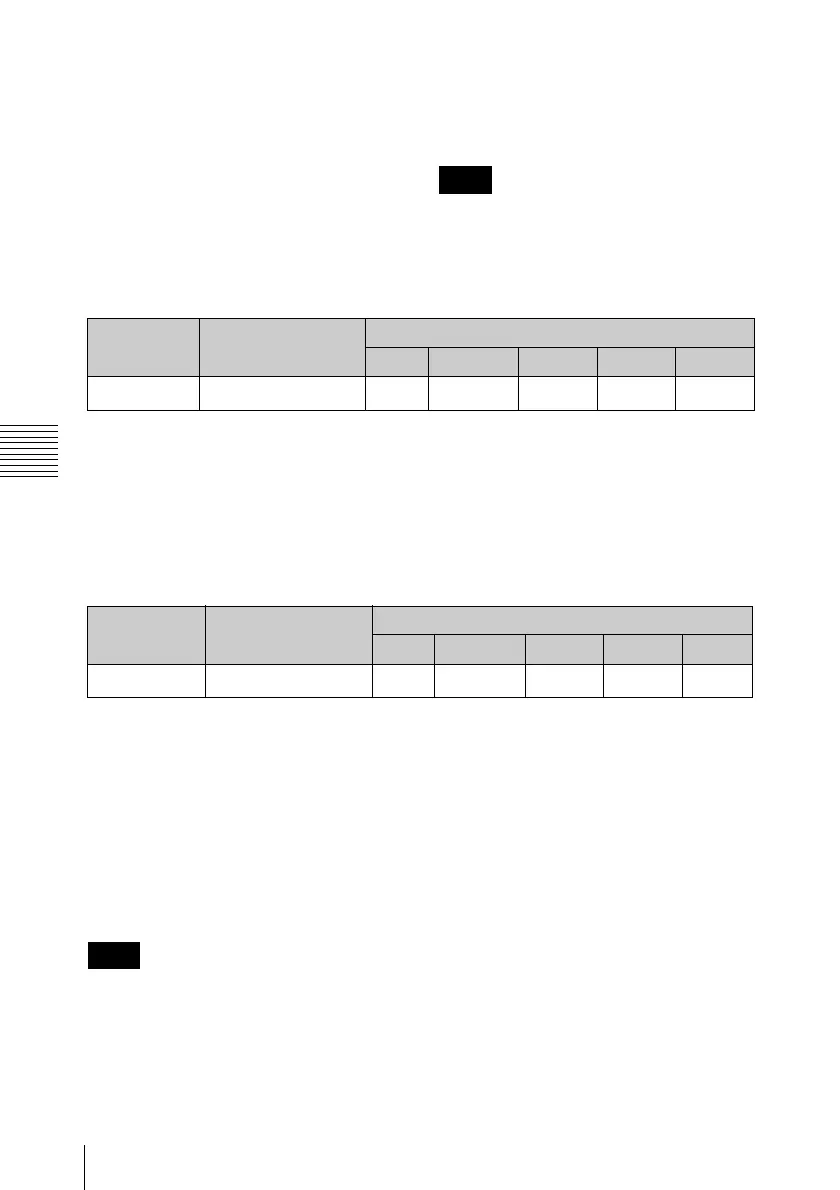
File name Content Operations
Read Write Rename Create Delete
Any file Yes Yes
Ye s
a)
Ye s
Ye s
b)
File name Content Operations
Read Write Rename Create Delete
Any file Yes Yes
Ye s
a)
Ye s Ye s
Note


 To Next Page