52
Using functions
Using the self-timer
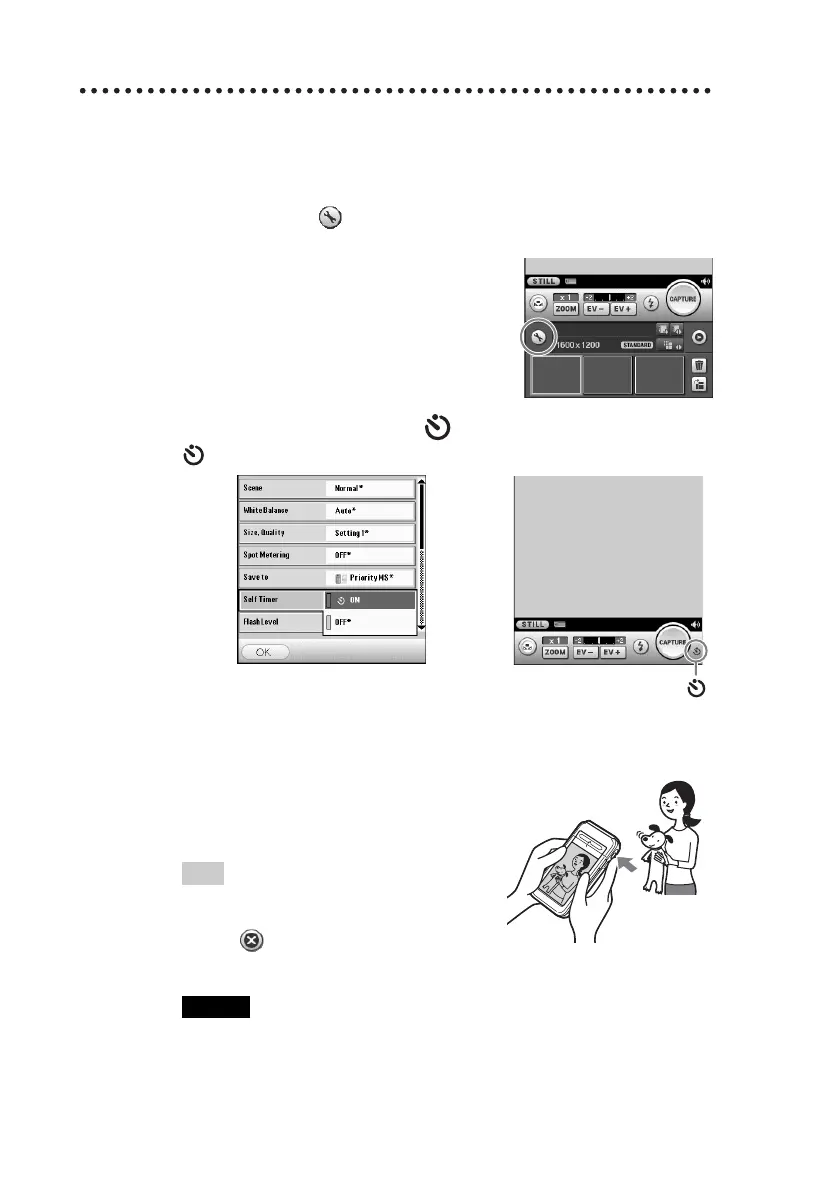
1
Tap the Setup button to display the Camera Setup
screen.
2
Tap Self Timer and select On. Tap the OK button.
(Self-timer) is displayed on the screen.
3
Capture the subject in the viewfinder and press the
CAPTURE button fully down.
Countdown starts and the image will
be taken after approximately 10
seconds.
Tip
To cancel the self-timer during the
operation
Tap the button on the right of the
countdown bar.
Note
If you stand in front of the camera and press the CAPTURE button, the focus and
exposure may not be configured properly.
b


 To Next Page
 Loading...