74
Using voice recorder
Recording a voice memo
Playing back a voice memo
A voice memo can be played using “Voice Recorder” or “CLIE Viewer.”
b
For details about “Voice Recorder,” refer to “Voice Recorder” in the “CLIÉ
Application Manual” installed on your computer.
b
For details about “CLIE Viewer,” refer to “Viewing/Playing back files (CLIE
Viewer)” on page 63.
1
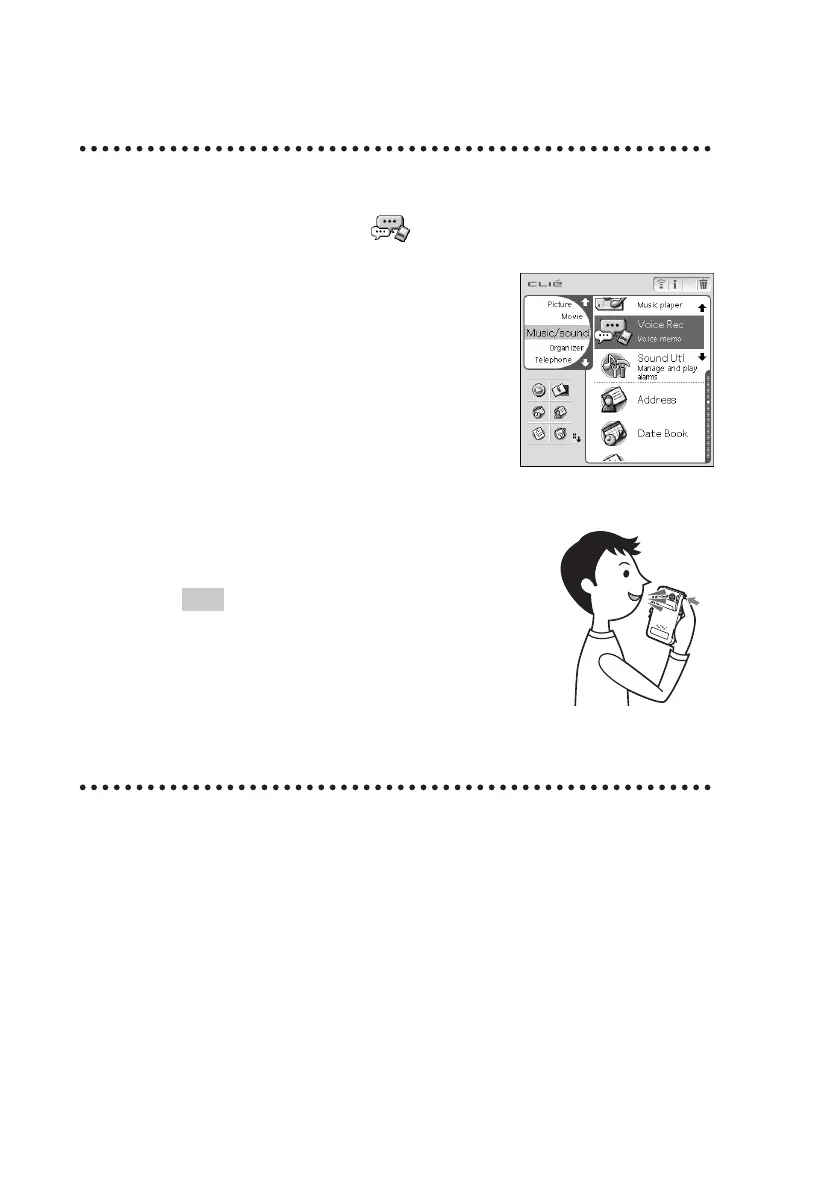
Select the Voice Rec icon in the CLIE Launcher screen
(page 47) and start it.
2
Press the VOICE REC button.
The recording starts. Speak into the built-in
microphone.
Tip
As soon as the VOICE REC button is pressed,
“Voice Recorder” automatically starts and then
recording starts.
3
Press the button once again to stop recording.


 To Next Page
 Loading...









