63
Taking images/movies
Viewing/Playing back files (CLIE Viewer)
You can use “CLIE Viewer” to view image files, movie files, handwritten
memos and play back voice memos saved on your CLIÉ handheld.
b
For details, refer to the “CLIÉ Application Manual” installed on your computer.
Opening/Playing back files
1
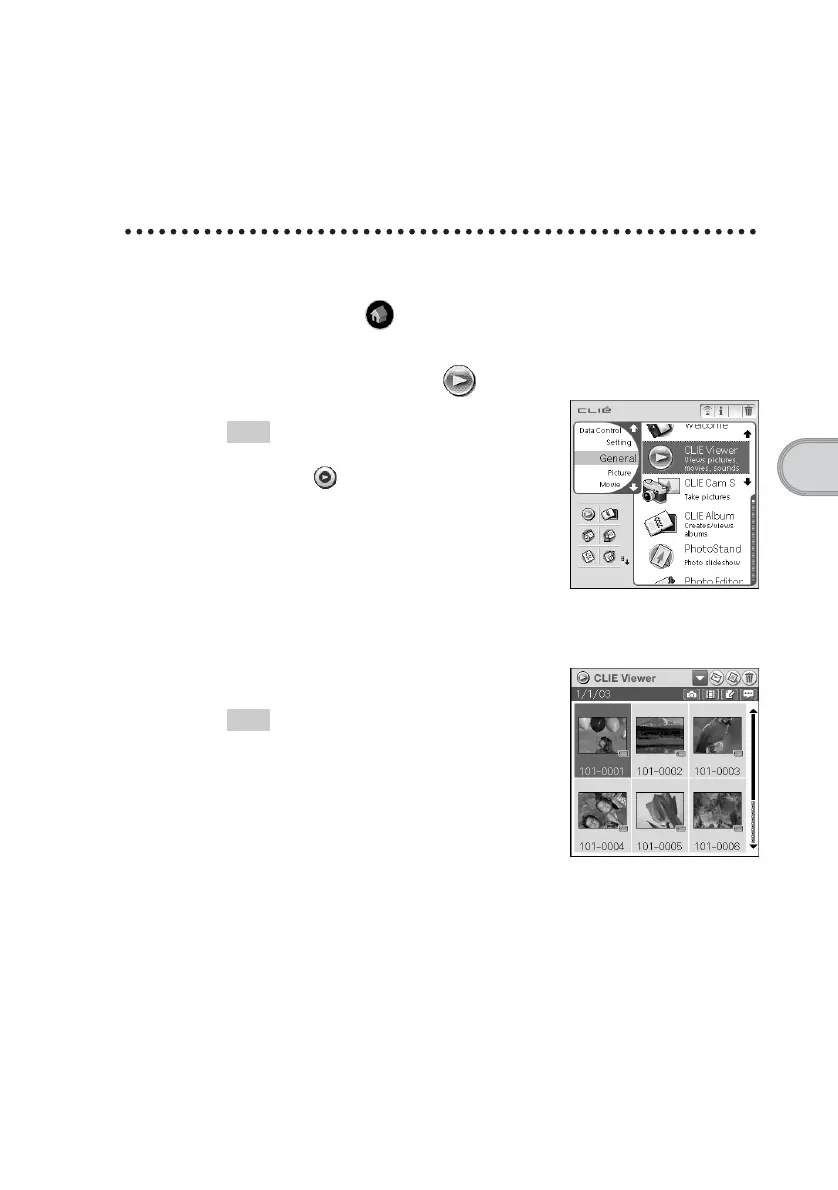
Tap the Home icon to display the CLIE Launcher
screen.
2
Select the CLIE Viewer icon to start “CLIE Viewer.”
Tip
You can also start “CLIE Viewer” by
selecting the icon in the “CLIE
Camera S” window.
3
Rotate the Jog Dial™ navigator to select the file you want
to display and press the Jog Dial™ navigator.
The selected file is displayed.
Tip
You can also display the file by tapping the file
icon.
The files are listed in order of creation date and
time.













 To Next Page