64
Selecting/Deleting files
You can select a file from the list screen in CLIE Viewer when attaching image
files or movie files of your CLIÉ handheld to e-mails, when using the image
files in “PhotoStand” (page 91), “CLIE Album” (page 90) and “Photo Editor”
(page 92), or when deleting files.
1
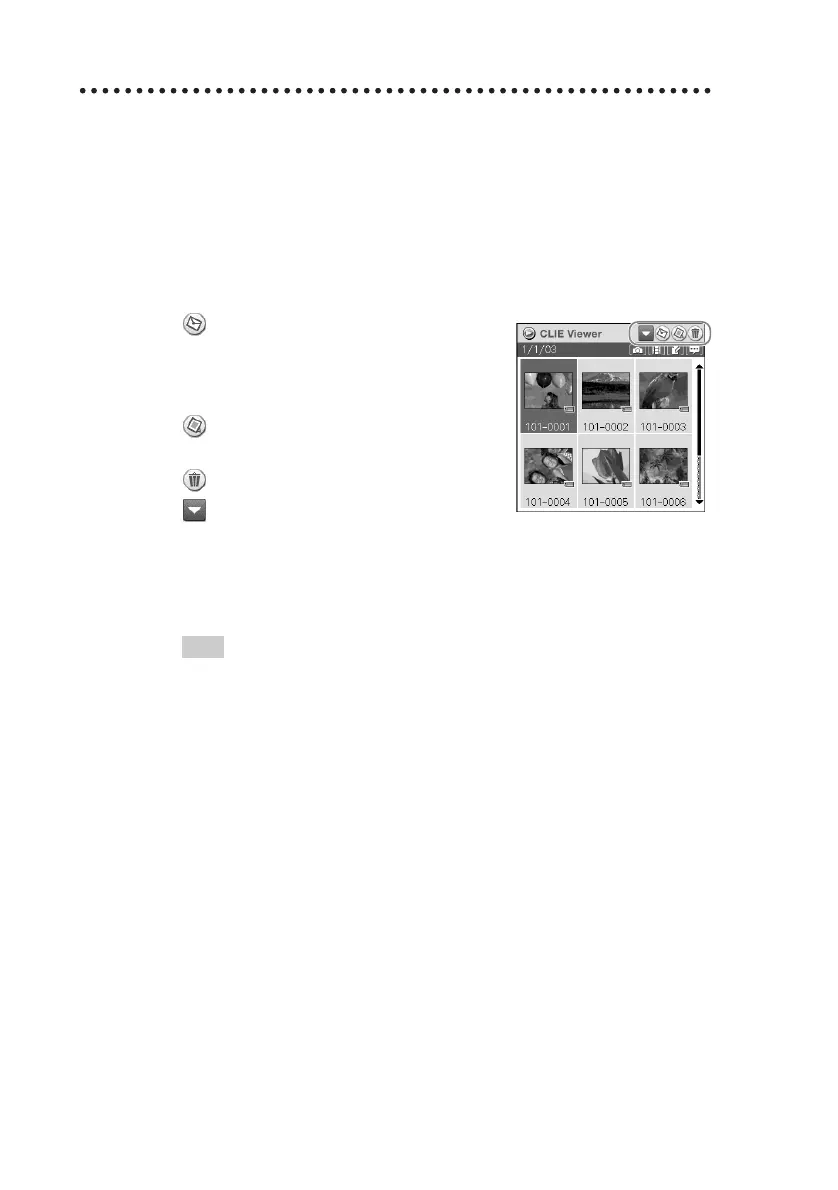
Start “CLIE Viewer” and tap the command button to
select the function.
: Select the file to be attached to an
e-mail
This icon is displayed if “CLIE Mail”
is installed.
: Select the image file to be used in
“PhotoStand”
: Select the file to be deleted
: Select other applications such as
“Photo Editor” or “CLIE Album” by
using the pull-down menu
2
Tap to select the check box of the file.
Tip
Tap Select All to select all the files.
3
Tap OK.
The function selected in step 1 is executed.


 To Next Page
 Loading...