72
4
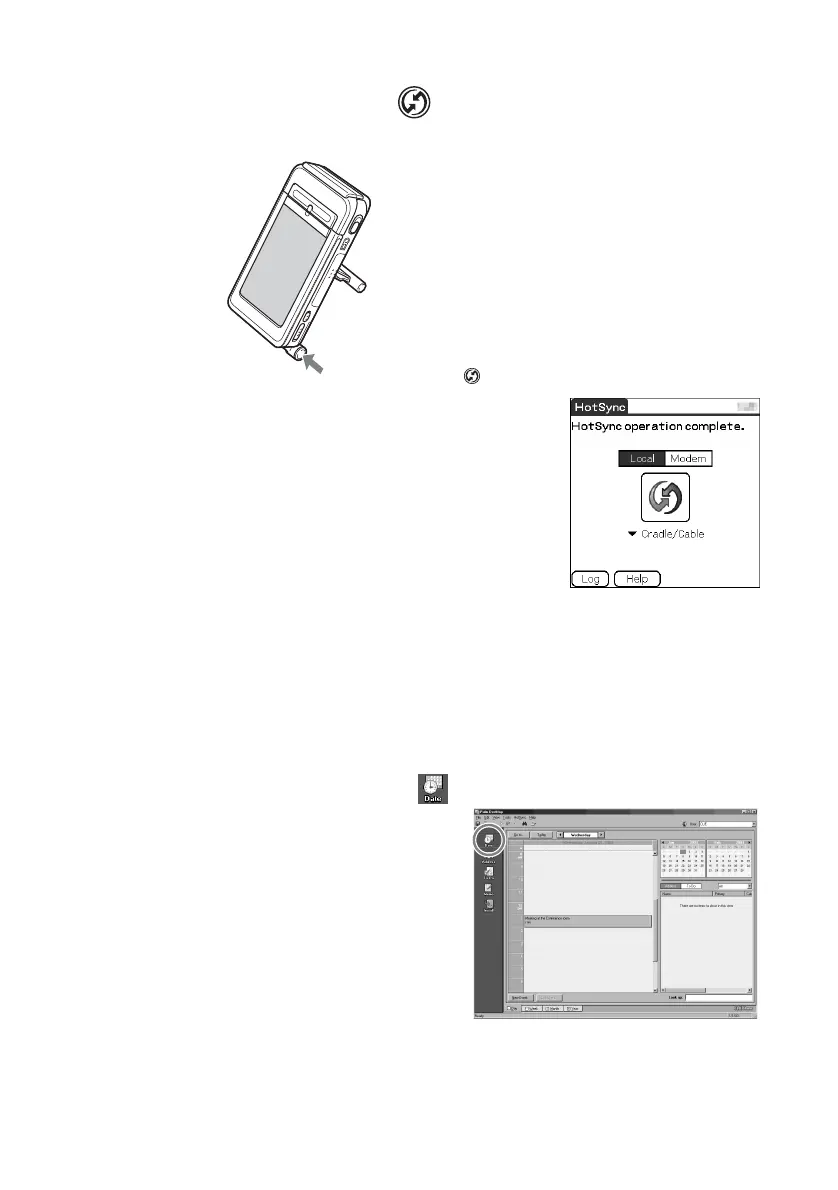
Press the HotSync button on the cradle.
The HotSync operation between your CLIÉ handheld and computer starts.
When the HotSync
®
operation is complete,
the following screen is displayed.
5
Double-click the “Palm™ Desktop for CLIÉ” icon on the
Windows desktop.
You can also click Start, select Programs (All Programs in Windows
XP), Sony handheld, and click Palm Desktop for CLIÉ to start the
application.
The Palm™ Desktop for CLIÉ software starts.
6
Click the Date Book icon.
The Date Book window is
displayed.
If you select the same date you
entered the schedule for in step
2, you will see the entered
schedule.
Press the HotSync button


 To Next Page
 Loading...