Reader™ User Guide
Print
Search
Getting started
Basic Operations
Adding/Getting Content
Browsing Content Lists
Reading
Organizing
Other Applications
Settings
Other Information
Contents list
Top page > Getting started > Wireless Connectivity > Join a Wi-Fi® Network
Join a Wi-Fi
®
Network
To shop at Reader Store or connect to the internet wirelessly, set up a wireless (Wi-Fi
®
) internet
connection with the following steps.
Preparing to set up a Wi-Fi connection
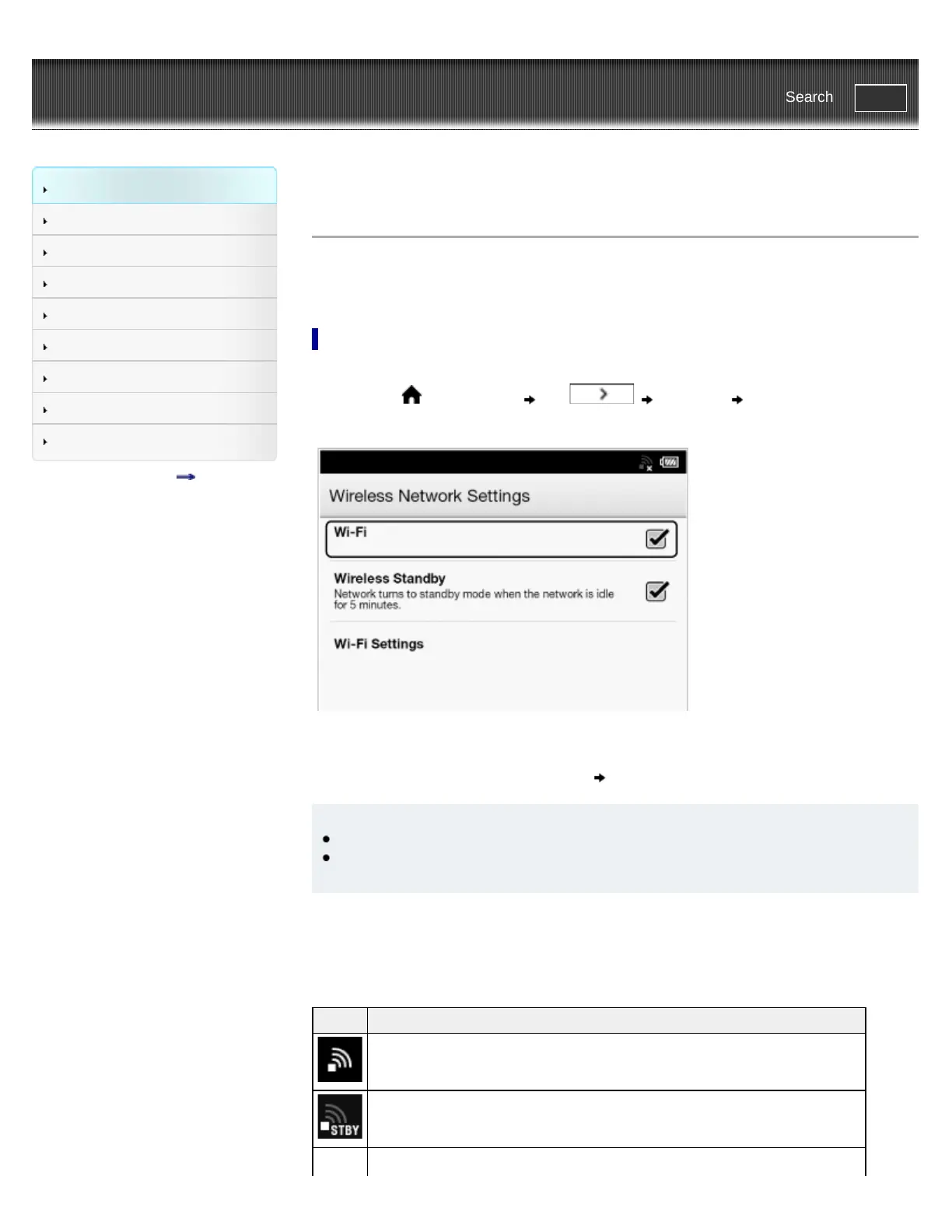
Before connecting to an access point, turn on [Wi-Fi] on the Reader.
1. Press the
(Home) button tap [Settings] [Wireless Network
Settings].
2. Confirm that there is a check in the box to the right of [Wi-Fi].
A check indicates that [Wi-Fi] is turned on. Wi-Fi is turned on by default.
Alternatively, you can tap the status bar [Wi-Fi].
Tip
Turn off [Wi-Fi] when it is not in use in order to extend the battery life of the Reader.
If you do not perform any wireless operations for more than 5 minutes, the wireless feature
automatically enters standby mode. See Details.
Wi-Fi status icons
The following icons in the status bar indicate the status of the Wi-Fi connection.
Icon Status
Wi-Fi is activated. The number of bars indicates the Wi-Fi signal strength.
The Wi-Fi network feature of the Reader is in standby mode. See Details.














 To Next Page