Reader™ User Guide
Print
Search
Getting started
Basic Operations
Adding/Getting Content
Browsing Content Lists
Reading
Organizing
Other Applications
Settings
Other Information
Contents list
Top page > Basic Operations > [Home] Screen > On-Screen Keyboard
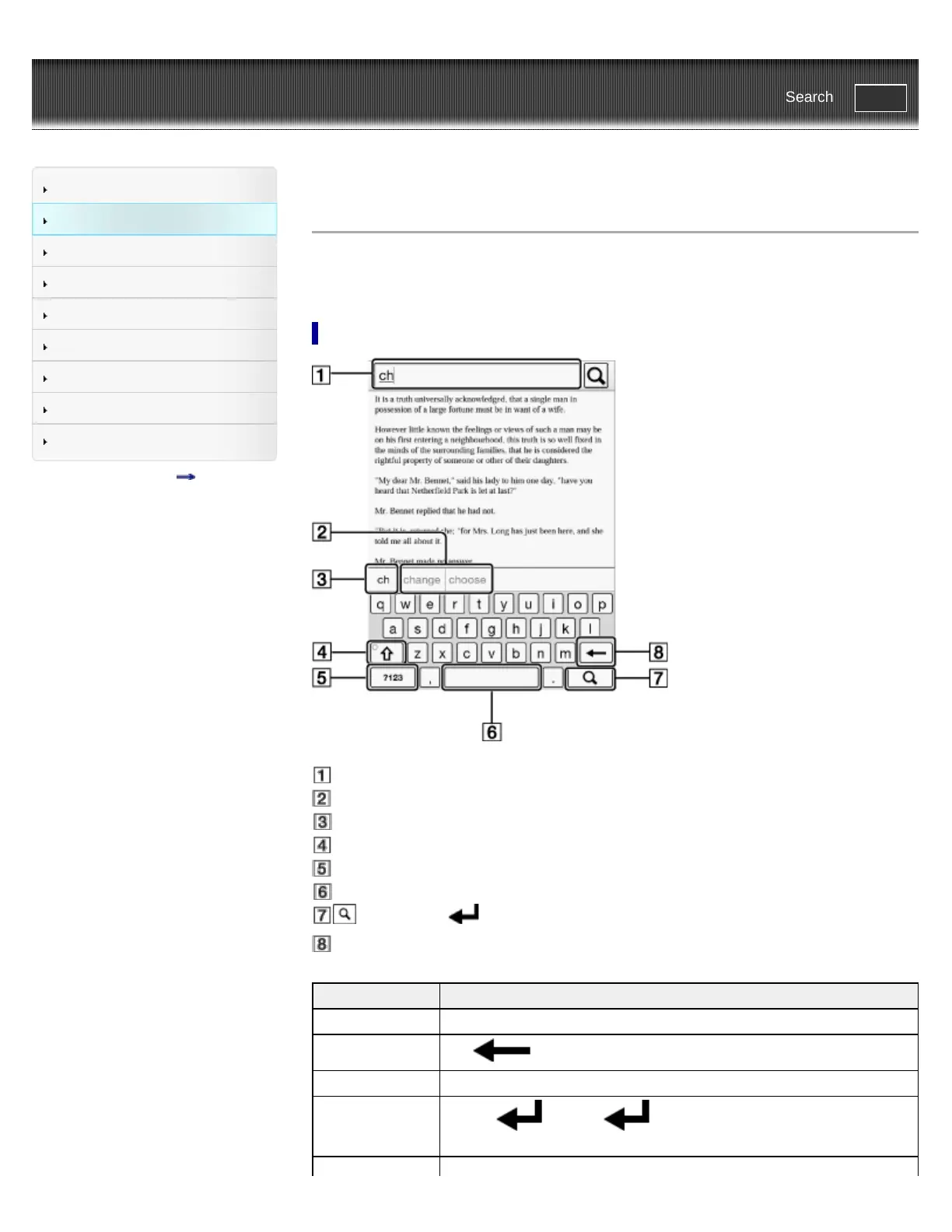
On-Screen Keyboard
The on-screen keyboard is used when you need to type. If the keyboard does not automatically
appear, tap the input area on the screen.
On-screen keyboard layout
Input area
Keyboard history
Current word input box
Shift key/[ALT]
[?123]/[ABC]
Space
(Search icon)/ (Line feed icon)/[Go]
Backspace
To Do this
Input text Tap the input area.
Delete a character
Tap
.
Finish typing Tap [Go]/[Done].
Insert line feed Tap the
key. The key is enabled only when multi-line input
is available.














 To Next Page