Reader™ User Guide
Print
Search
Getting started
Basic Operations
Adding/Getting Content
Browsing Content Lists
Reading
Organizing
Other Applications
Settings
Other Information
Contents list
Top page > Browsing Content Lists > Content Lists > Browsing in Thumbnail View and List View
Browsing in Thumbnail View and List View
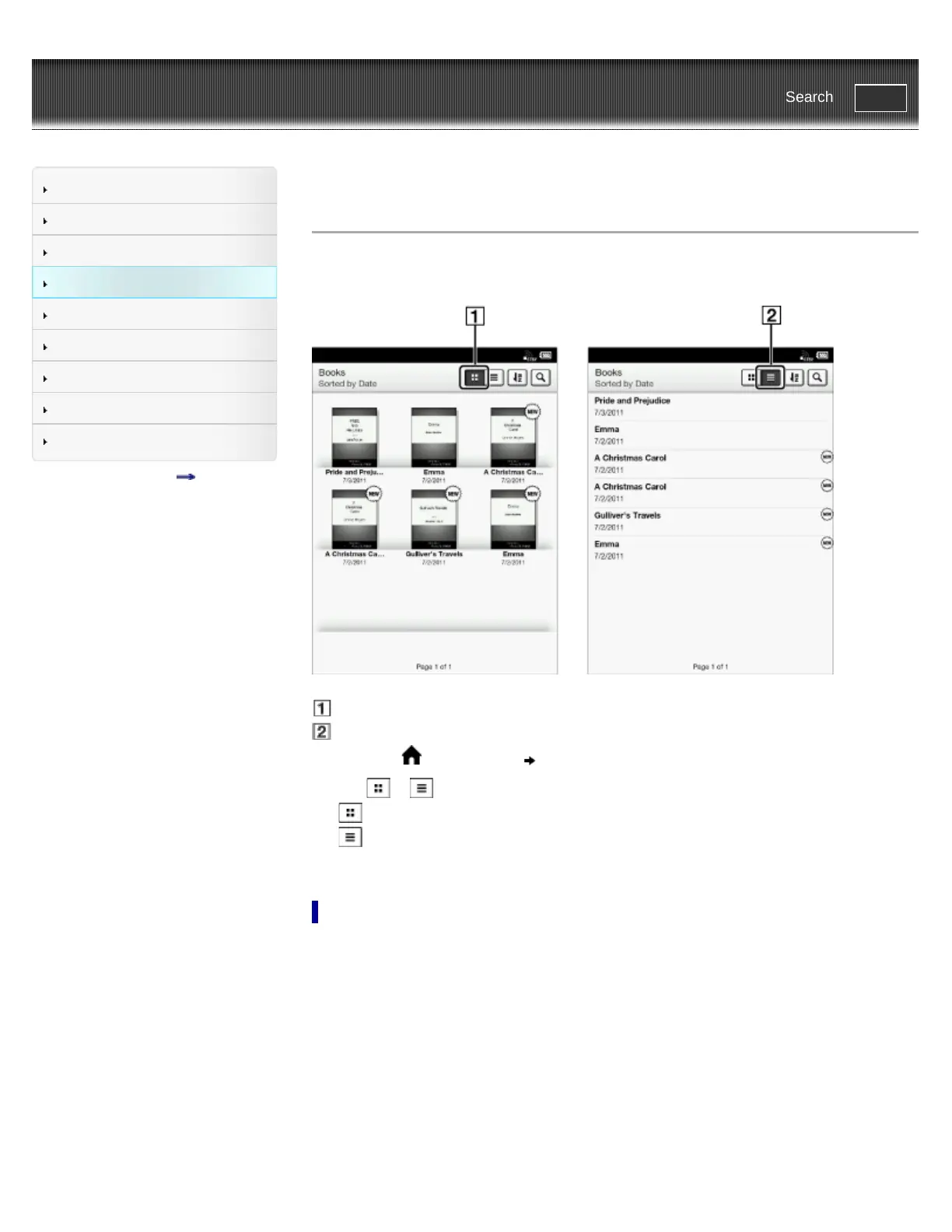
Content can be displayed as individual thumbnails or in a list.
The following instructions use the [Books] application as an example.
Thumbnail view icon
List view icon
1. Press the (Home) button tap [Books].
2. Tap
or .*
displays thumbnails of content.
displays a list of content.
* Some applications only allow list view.
Adjusting the title view
The titles of some books/periodicals may be cut off if they are too long. To avoid this, you can set
the Reader to display titles across two lines instead of one line.














 To Next Page