Protecting Content
75
Table of Contents Index
Protecting Content
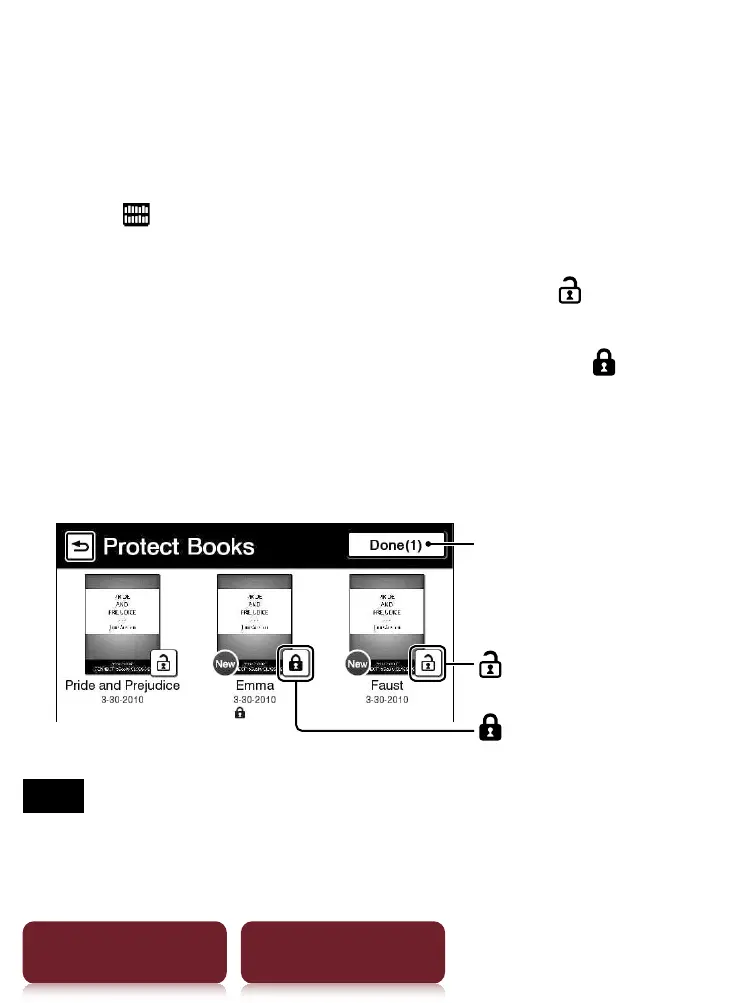
Example: [Books] list
1 Tap [Books]
press OPTIONS
tap [Protect
Books].
To protect: tap a book thumbnail with .
To protect all: press OPTIONS
tap [Protect All].
To unprotect: tap a book thumbnail with
.
To unprotect all: press OPTIONS
tap [Unprotect
All].
2 Tap [Done].
Selected number of items
(Unprotect)
(Protect)
Note
This protection feature works only on the Reader. Protected
content may still be deleted via your computer.













 To Next Page