21
Executing a Series of Commands
— System Control Functions
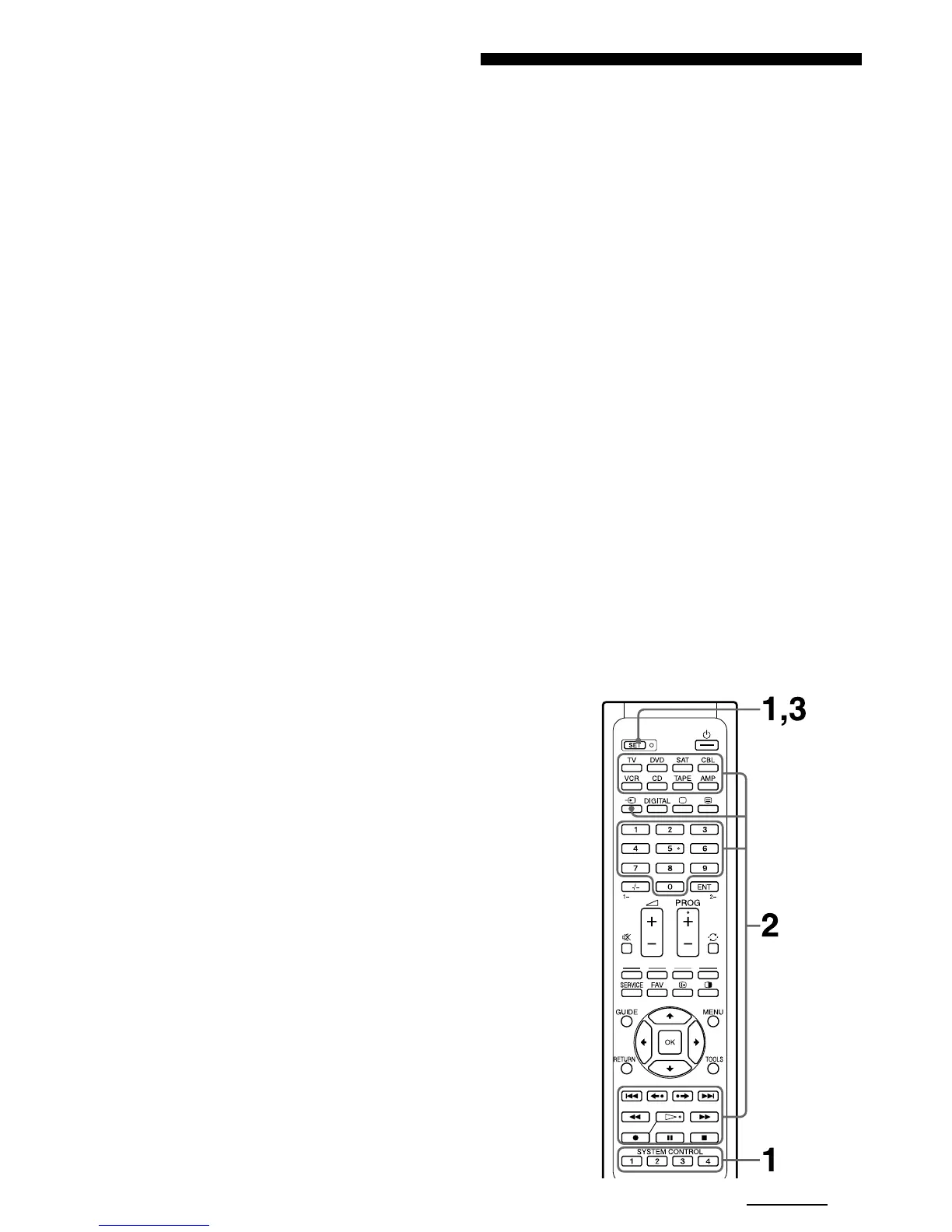
With the System Control function, you can
programme a series of operating commands, and
execute them by pressing just one button. You can
programme up to 16 consecutive operation steps to
each of the SYSTEM CONTROL buttons (1 – 4).
If you have set the System Control function for a
Component Select button (page 23), the execution of
the programmed commands begins when you press
the Component Select button for more than 2 seconds.
When executing the programmed commands, each
remote commander signal is transmitted.
Example: To watch a video, you can set a series
of operations as follows:
Power on the TV.
r
Power on the video (VCR).
r
Power on the amplifier.
r
Set the input selector of the amplifier to VIDEO 1.
r
Set the input mode of the TV to VIDEO 1.
r
Start video playback.
To cancel the setting, press SET.
To programme the Power-On command
Repeat the same procedure, pressing the desired
Component Select button.
Notes
• If the component code of a non-Sony brand has been set
on a Component Select button, you cannot programme
the Power-On function on it. If you change the
component code (page 8) after setting the Power-On
function, the Power-On function is cleared. (The
Component Select button flashes twice to indicate that
you cannot set this function.)
• Even if you used the Learning function (page 12) to
programme a signal on a Component Select button, you
can programme the Power-On function on that button
but it cannot be used. If you clear the “learned” function
on that button, you can use the Power-On function.
Continued



 To Next Page
 Loading...