/GPW
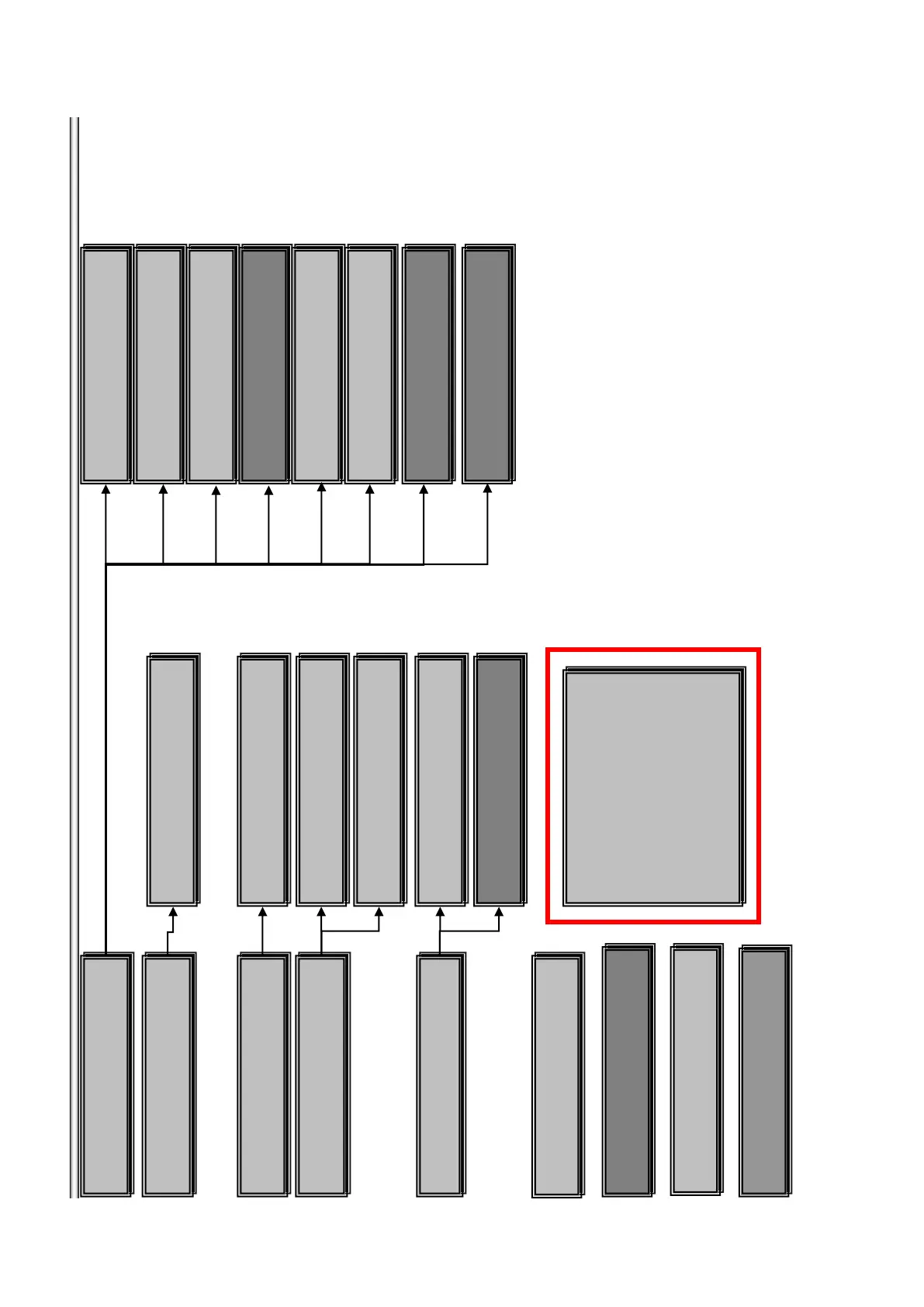
*Service Mode Menu
[1]Diag
[2]Log
[3]Factory Initialize
[4]Network
[5]Version Up
[6]System Information
[7]EMC Test Mode
[8]Drive
[9]HDD Mode
*Service Mode Menu
[1]Diag
[2]Log
[3]Factory Initialize
[4]Network
[5]Version Up
[6]System Information
[7]EMC Test Mode
[8]Drive
[9]HDD Mode
Version Up
DISC update
Version Up
DISC update
Drive
Write Drive OP Data and check drive
Drive
Write Drive OP Data and check drive
*Factory Initialize
Initialize default setting
*Factory Initialize
Initialize default setting
*Log
view Error Log
*Log
view Error Log
Error Log
view Error log
Error Log
view Error log
*Diag
Diag Test
*Diag
Diag Test
*Network
Network diagnosis for wired
*Network
Network diagnosis for wired
Ping
confirm Network connection
Ping
confirm Network connection
Ifconfig
view Network Status
Ifconfig
view Network Status
Device Test
USB/DAC/IFCon/ test
Device Test
USB/DAC/IFCon/ test
Video Test
Video Output Test
Video Test
Video Output Test
Audio Test
Audio Output Test
Audio Test
Audio Output Test
Wireless LAN Test
only wireless model used
Wireless LAN Test
only wireless model used
Audio input Test
Not used
Audio input Test
Not used
Start Initialize
Initialize default setting for BD-Player
Start Initialize
Initialize default setting for BD-Player
System Information
display System Information
System Information
display System Information
EMC Test Mode
Not used
EMC Test Mode
Not used
Mic Test
Only Karaoke model used
Mic Test
Only Karaoke model used
HDMI Input test
Not used
HDMI Input test
Not used
Start Update for BDV
Not used
Start Update for BDV
Not used
Start Update for BDP
Start disc upgrade for BDP
Start Update for BDP
Start disc upgrade for BDP
Transcoder test
Not used
Transcoder test
Not used
HDD Mode
Not used
HDD Mode
Not used
7-3
BDP-BX38/S280/S380/S383



 To Next Page