EasyManua.ls Logo

Sony RMT-144A - User Manual

Sony RMT-144A
127 pages
Print Icon
To Next Page IconTo Next Page
Loading...
CD/DVD PLAYER
SPECIFICATIONS
DVP-NC615/NC655P
RMT-D143A/D143E/D143P/D144A
US Model
DVP-NC615/NC655P
Canadian Model
AEP Model
UK Model
E Model
Australian Model
Singapore Model
PX Model
DVP-NC615
SERVICE MANUAL
System
Laser: Semiconductor laser
Signal format system:
U.S./Canadian models: NTSC
Asian/Oceanian models: PAL/NTSC
UK/European models: PAL/(NTSC)
(See page 1-3 to switch.)
Audio characteristics
Frequency response: DVD VIDEO (PCM
96 kHz): 2 Hz to 44 kHz (±1.0 dB)/DVD
VIDEO (PCM 48 kHz): 2 Hz to 22 kHz
(±0.5dB)/CD: 2Hz to 20kHz (±0.5 dB)
Signal-to-noise ratio (S/N ratio): 115 dB
(LINE OUT L/R (AUDIO) jacks only)
Harmonic distortion: 0.003 %
Dynamic range: DVD VIDEO: 103 dB/CD:
99 dB
Wow and flutter: Less than detected value
(±0.001% W PEAK)
The signals from LINE OUT L/R (AUDIO)
jacks are measured. When you play PCM
sound tracks with a 96 kHz sampling
frequency, the output signals from the
DIGITAL OUT (COAXIAL) jack are
converted to 48 kHz sampling frequency.
Outputs
(Jack name: Jack type/Output level/Load
impedance)
LINE OUT L/R (AUDIO): Phono jack/
2 Vrms/10 kilohms
DIGITAL OUT (COAXIAL): Phono jack/
0.5 Vp-p/75 ohms
COMPONENT VIDEO OUT(Y, P
B
/C
B
, P
R
/
C
R
): Phono jack/Y: 1.0 Vp-p/P
B
, P
R
,
C
B
,
C
R
,: 0.7 Vp-p/75 ohms (US/Canadian/
Asian/Oceanian models)
LINE OUT (VIDEO): Phono jack/1.0 Vp-p/
75 ohms
S VIDEO OUT: 4-pin mini DIN/
Y: 1.0 Vp-p/C:0.3 Vp-p (PAL),
0.286 Vp-p (NTSC)/75 ohms
General
Power requirements:
120 V AC, 60 Hz
110 to 240V AC, 50/60 Hz
220 to 240V AC, 50/60 Hz
See page 1-1 for further information.
Power consumption: 13 W/14 W
See page 1-1 for further information.
Mass (approx.): 5.1 kg (11 lb 4 oz)
Operating temperature: 5 ° C to 35 ° C
(41
°
F to 95
°
F)
Operating humidity: 25 % to 80 %
Supplied accessories
See page 1-3.
Specifications and design are subject to
change without notice.
E
NERGY
S
TAR
R
is a U.S. registered mark.
As an
E
NERGY
S
TAR
R
Partner, Sony
Corporation has determined that this product
meets the
E
NERGY
S
TAR
R
guidelines for
energy efficiency.
DIGITAL OUT (OPTICAL): Optical
output jack/–18 dBm (wave length
660 nm) (UK/European models)
Dimensions (approx.): 430 × 108 × 409 mm
430 × 108 × 411 mm
(1
(NC615: UK, European models)
7 × 4
3
/
8
× 16
1
/
8
in.):(NC615: US,
(17 × 4
3
/
8
× 16
3
/
8
in.):
430 × 108 × 413 mm
(NC655P model)
(17 × 4
3
/
8
× 16
1
/
4
in.):
(width/height/depth)
incl. projecting
parts
Canadian, Asian, Oceanian models)
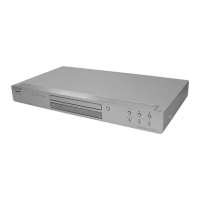
Photo : DVP-NC655P (SILVER)
RMT-D144A
w
w
w
.
x
i
a
o
y
u
1
6
3
.
c
o
m
Q
Q
3
7
6
3
1
5
1
5
0
9
9
2
8
9
4
2
9
8
T
E
L
1
3
9
4
2
2
9
6
5
1
3
9
9
2
8
9
4
2
9
8
0
5
1
5
1
3
6
7
3
Q
Q
TEL 13942296513 QQ 376315150 892498299
http://www.xiaoyu163.com

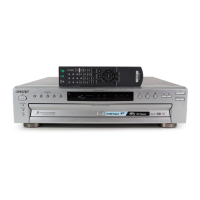
Table of Contents

Questions and Answers

  • A
    Amy WaltonAug 8, 2025
    Why is there no picture on my Sony RMT-144A DVD Player?
    • A
      April JonesAug 8, 2025
      If there is no picture or picture noise appears on your Sony DVD Player, try these steps: First, ensure the connecting cord is securely re-connected. Also, check the connection to your TV and switch the input selector on your TV. If the issue persists and you're using a DVD, the disc may be dirty or flawed. For DVD programs, copy-protection signals might affect picture quality, so connect your player directly to your TV. Finally, if the color system of your player does not match with that of your TV, change the color system of the player.
  • H
    Heather LewisAug 12, 2025
    Why is there no sound coming from my Sony RMT-144A DVD Player?
    • A
      Amanda PearsonAug 12, 2025
      If there is no sound from your Sony DVD Player, try the following: Ensure the connecting cord is securely re-connected. If the connecting cord is damaged, re-connect it securely. Verify the player is connected to the correct input jack on the amplifier (receiver), and that the amplifier input is correctly set. Make sure the player isn't in pause mode, Slowmotion Play mode, fast forward, or fast reverse mode. If using the DIGITAL OUT (COAXIAL) jack, check the audio settings. If playing a Super VCD, no sound will come out when you select '2:STEREO', '2:1/L' or '2:2/R' if audio track 2 is not recorded.
  • D
    Denise BaldwinAug 16, 2025
    Why is the picture black and white on my Sony RMT-144A?
    • M
      Matthew WellsAug 17, 2025
      If the picture on your Sony DVD Player is black and white, try changing the color system of the player. The specific adjustment needed depends on your TV.
  • R
    Ryan MorrisAug 21, 2025
    Why is my Sony RMT-144A sound so noisy?
    • B
      Brian HansenAug 21, 2025
      If the sound from your Sony DVD Player is noisy, especially when playing a CD with DTS sound tracks, it's normal for noise to come from the LINE OUT L/R (AUDIO) jacks or DIGITAL OUT (COAXIAL) jack.
  • A
    Austin HarperAug 25, 2025
    How to fix a Sony RMT-144A remote that is not working?
    • A
      Ann GarciaAug 26, 2025
      If your Sony DVD Player remote isn't working, first, make sure there are no obstacles between the remote and the player. Then, try moving closer to the player and ensure you're pointing the remote directly at the sensor on the player. If it still doesn't work, the batteries in the remote might be weak, so replace them.
  • K
    Kevin HarrisAug 30, 2025
    What to do if the sound volume is low on Sony RMT-144A?
    • A
      Ann WalkerAug 30, 2025
      If the sound volume is low on your Sony DVD Player, especially on some DVDs, try setting 'AUDIO DRC' to 'TV MODE' and 'DOWNMIX' to 'NORMAL'. Alternatively, set 'AUDIO ATT' in 'AUDIO SETUP' to 'OFF'.
  • P
    Patricia ChandlerSep 2, 2025
    Why is the sound distorted on my Sony DVD Player?
    • M
      Mark SmithSep 3, 2025
      If sound distortion occurs with your Sony DVD Player, set 'AUDIO ATT' in 'AUDIO SETUP' to 'ON'.

Sony RMT-144A Specifications

General IconGeneral
TypeRemote control
BrandSony
ModelRMT-144A
Compatible DevicesSony DVD Players
ConnectivityInfrared (IR)
Device CategoryDVD Player

Related product manuals